




Here's how it works

01. Edit your csf dues online
Type text, add images, blackout confidential details, add comments, highlights and more.

02. Sign it in a few clicks
Draw your signature, type it, upload its image, or use your mobile device as a signature pad.

03. Share your form with others
Send six month report form via email, link, or fax. You can also download it, export it or print it out.
How to use or fill out csf 02 0910 with our platform

- Click ‘Get Form’ to open the csf 02 0910 in the editor.
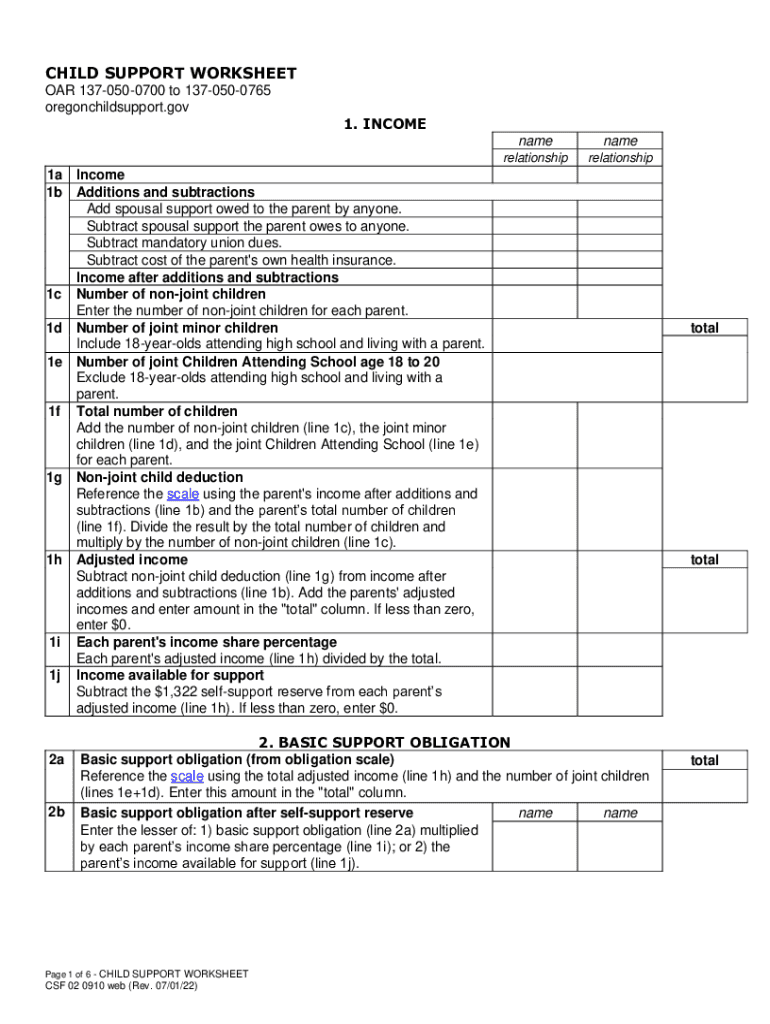
- Begin with Section 1: INCOME. Enter the names and relationships of the parents, followed by their respective incomes and any additions or subtractions as specified.
- Continue filling out the number of non-joint and joint children in lines 1c through 1f. Ensure accuracy as these figures impact subsequent calculations.
- Proceed to Section 2: BASIC SUPPORT OBLIGATION. Reference the obligation scale using total adjusted income and number of joint children to determine basic support obligations.
- In Section 3: CHILD CARE COSTS, input child care expenses for joint children under age 13, ensuring they do not exceed state maximums.
- Complete Sections 4 through 9 by following similar steps, entering health care coverage costs, cash medical support elections, and final support amounts as required.
Start using our platform today for free to simplify your form completion process!
Fill out csf 02 0910 online
It's free
It's free
See more csf 02 0910 versions
We've got more versions of the csf 02 0910 form. Select the right csf 02 0910 version from the list and start editing it straight away!
Security and compliance
At DocHub, your data security is our priority. We follow HIPAA, SOC2, GDPR, and other standards, so you can work on your documents with confidence.
Learn more


