Type text, add images, blackout confidential details, add comments, highlights and more.
02. Sign it in a few clicks
Draw your signature, type it, upload its image, or use your mobile device as a signature pad.
03. Share your form with others
Send m 938 via email, link, or fax. You can also download it, export it or print it out.
How to use or fill out Pennsylvania M with our platform
Ease of Setup
DocHub User Ratings on G2
Ease of Use
DocHub User Ratings on G2
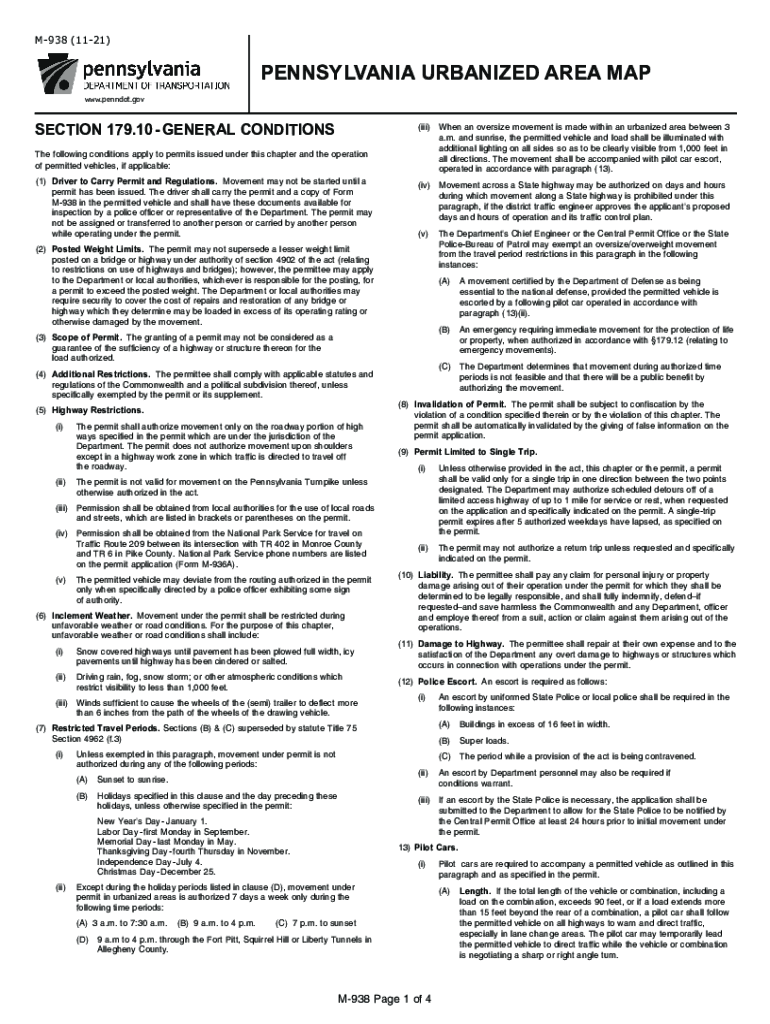
Click ‘Get Form’ to open the Pennsylvania M form in the editor.
Begin by reviewing the General Conditions section. Ensure you understand the requirements for carrying permits and regulations while operating permitted vehicles.
Fill in your personal information in the designated fields, including your name, address, and contact details. This information is crucial for permit validation.
Complete the vehicle details section, specifying the type of vehicle and load dimensions. Make sure to adhere to weight limits and restrictions outlined in the form.
Review any additional restrictions that may apply based on your route or vehicle type. This ensures compliance with local regulations.
Once all fields are filled out accurately, save your changes and proceed to sign the document electronically using our platform’s signature feature.
Start filling out your Pennsylvania M form today for free using our editor!
Welcome to Pennsylvania. Were the home base of the Commonwealth of Pennsylvania. Explore the services and resources offered by your government.Read more
Cookie consent notice
This site uses cookies to enhance site navigation and personalize your experience.
By using this site you agree to our use of cookies as described in our Privacy Notice.
You can modify your selections by visiting our Cookie and Advertising Notice.