




Here's how it works

01. Edit your south carolina cdl online
Type text, add images, blackout confidential details, add comments, highlights and more.

02. Sign it in a few clicks
Draw your signature, type it, upload its image, or use your mobile device as a signature pad.

03. Share your form with others
Send sc cdl via email, link, or fax. You can also download it, export it or print it out.
How to use or fill out sc 408a with our platform

- Click ‘Get Form’ to open the sc 408a in the editor.
- Begin by filling out the 'Applicant Information' section. Enter your name, SC driver license number, application date, and residence address. Ensure all fields are completed accurately.
- Proceed to the 'Driver Record Certification' section. Answer each question regarding your driving history by selecting 'Yes' or 'No'. This includes questions about previous licenses and any violations.
- In the 'Certification of Driving Experience' section, ensure that your Commanding Officer completes their part accurately. They will need to provide their name, pay grade, and contact information.
- Finally, review all entries for accuracy before signing the form at the bottom. Your signature certifies that all information is true to the best of your knowledge.
Start using our platform today for free to complete your sc 408a efficiently!
Fill out sc 408a online
It's free
It's free
Security and compliance
At DocHub, your data security is our priority. We follow HIPAA, SOC2, GDPR, and other standards, so you can work on your documents with confidence.
Learn more


Related forms
Personnel Policy
The Town of Wingate's Personnel Policy outlines the framework for employee management, including appointment, classifica ...
Mayor Balbier asked for confirmation of his appointment to Police Chief, Scott Mielke
The minutes of the Brooklyn City Council meeting held on February 13, 2012, detail the confirmation of Police Chief Scot ...

Childcare Handbook
The document is a comprehensive Childcare Handbook for Rhonda Strycharz's family child care service, outlining the terms ...

Cabin and Cottage Rentals
The document provides detailed information about cabin and cottage rentals in New York State parks, including amenities, ...
Fa ade Grant Program Application
The Town of Pittsboro's Façade Grant Program aims to enhance the appearance of downtown buildings through financial assi ...

Annual ReportsOhio Department of Education
The 2011 Annual Report for Beachwood City Schools provides a comprehensive overview of the district's financial status, ...
Handbook on Community Visioning - The Center for Rural
The document titled 'Planning for the Future: A Handbook on Community Visioning' is a comprehensive guide designed to as ...
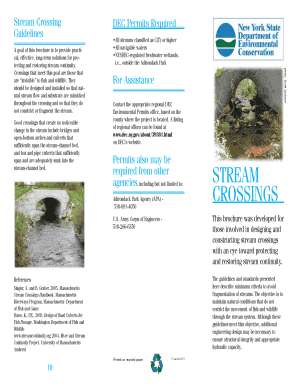
Stream Crossing
The document provides guidelines for designing and constructing stream crossings to protect and restore stream continuit ...