Dog vaccination chart template 2026

Get Form
dog shot record template free Preview on Page 1

Here's how it works

01. Edit your dog shot record template free online
Type text, add images, blackout confidential details, add comments, highlights and more.
02. Sign it in a few clicks
Draw your signature, type it, upload its image, or use your mobile device as a signature pad.
03. Share your form with others
Send puppy vaccine schedule via email, link, or fax. You can also download it, export it or print it out.

How to use or fill out dog vaccination chart template with our platform

Form edit decoration
9.5
Ease of Setup
DocHub User Ratings on G2
9.0
Ease of Use
DocHub User Ratings on G2
  1. Click ‘Get Form’ to open the dog vaccination chart template in the editor.
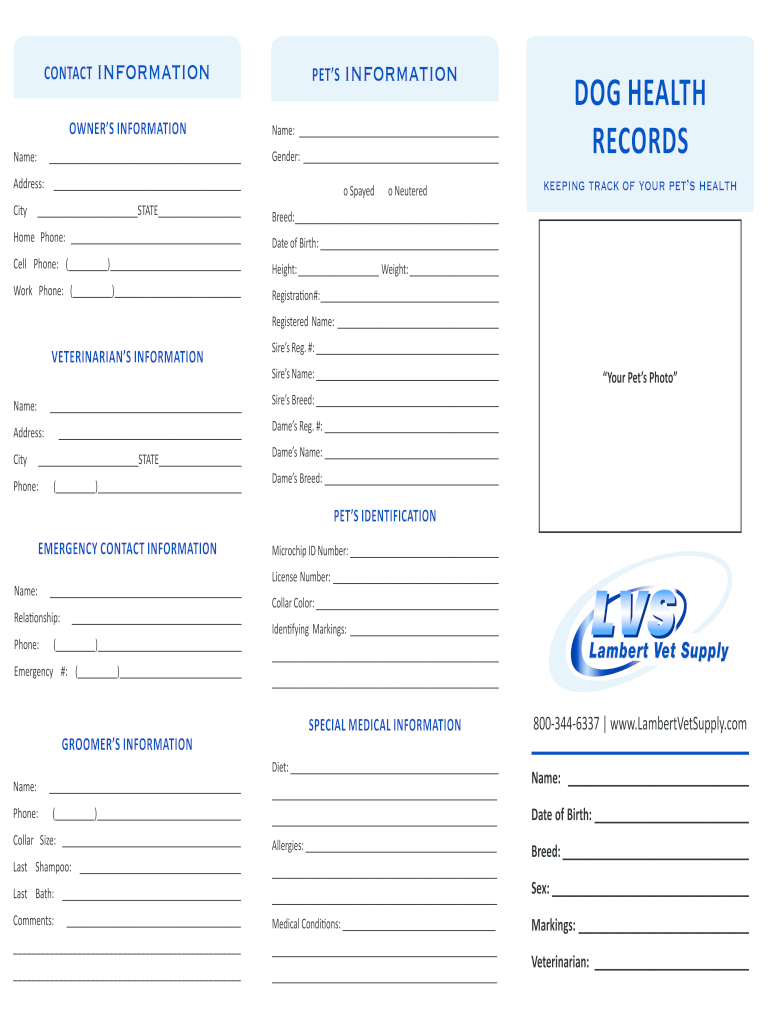
  2. Begin by filling out the OWNER’S INFORMATION section. Enter your name, address, and contact details to ensure accurate identification.
  3. Next, move to the PET’S INFORMATION section. Provide your dog's name, gender, breed, date of birth, and physical characteristics such as height and weight.
  4. In the DOG HEALTH RECORDS section, document your pet's registered name and any relevant health information. This is crucial for tracking vaccinations and medical history.
  5. Complete the VETERINARIAN’S INFORMATION section with your vet's details for easy reference during appointments.
  6. Fill in the PET’S IDENTIFICATION and EMERGENCY CONTACT INFORMATION sections to ensure you have all necessary contacts in case of emergencies.
  7. Finally, review all entries for accuracy before saving or sharing your completed vaccination chart.

Start using our platform today to effortlessly manage your dog's vaccination records online for free!

be ready to get more

Complete this form in 5 minutes or less

Get form

Got questions?

We have answers to the most popular questions from our customers. If you can't find an answer to your question, please contact us.
Contact us
A typical dog shot record will include information about the dog, like breed, name, age, date of birth, and owner contact information. The vaccination section of your form should include the date of each vaccination, the type of vaccine administered, and information about other procedures your pup has undergone.
Written proof is required. You must also show proof of meeting state and local pet boarding vaccination requirements. Please check with your local PetSmart to verify/confirm your local requirements.
Core vaccines are required for all dogs and puppies. A series of three core combination vaccines should be given between 6 and 16 weeks at intervals of two to four weeks apart and then repeated annually. Some veterinarians may switch to a three-year vaccination schedule after a dog docHubes 2 years of age.
Online Veterinary Portals Many modern vet clinics use online portals. Log into the portal to access and download your pets health records if your vet offers this service.
This is the best way to do it, hospitals generally give out vaccination certificates (example) which are also signed by the veterinarian who has done said vaccines. Ask for a signed certificate and make a copy for personal records (liability).

Security and compliance

At DocHub, your data security is our priority. We follow HIPAA, SOC2, GDPR, and other standards, so you can work on your documents with confidence.

Learn more
ccpa2
pci-dss
gdpr-compliance
hipaa
soc-compliance

People also ask

The Centers for Disease Control and Prevention (CDC) COVID-19 Vaccination Record Card issued by the vaccination site to the person who received the vaccine. Official record from the State Immunization Information System (IIS) or other State immunization registry.

free printable dog vaccination schedule pdf