




Here's how it works

01. Edit your alaska 510 online
Type text, add images, blackout confidential details, add comments, highlights and more.

02. Sign it in a few clicks
Draw your signature, type it, upload its image, or use your mobile device as a signature pad.

03. Share your form with others
Send it via email, link, or fax. You can also download it, export it or print it out.
How to use or fill out alaska 510 tobacco with our platform

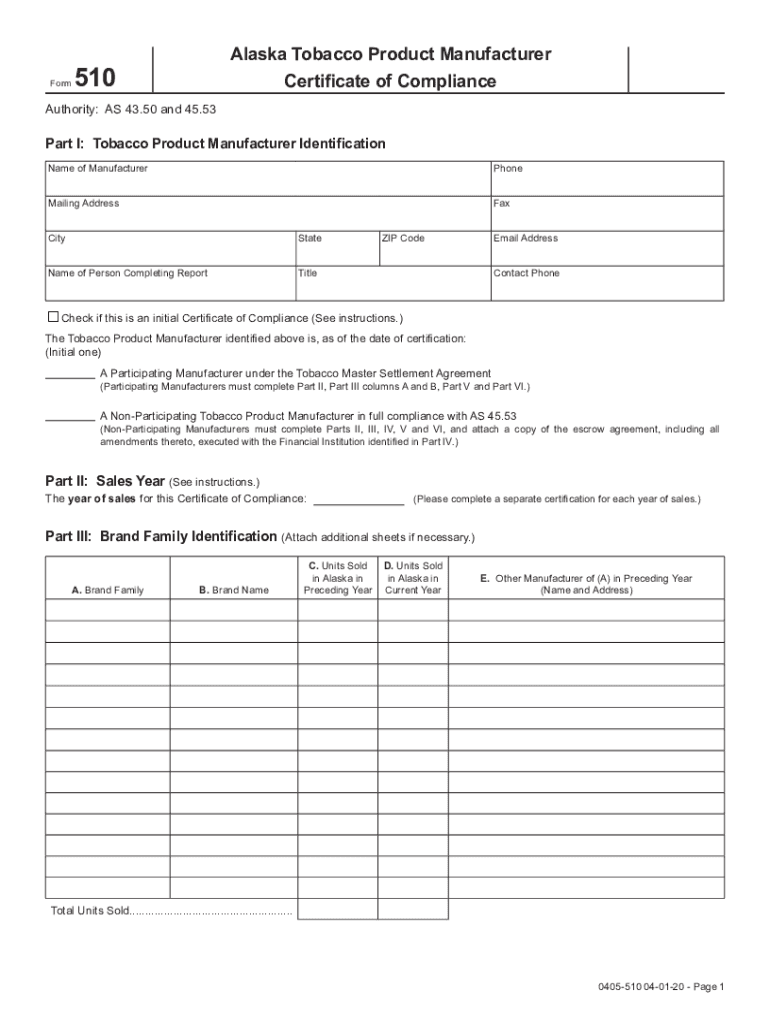
- Click ‘Get Form’ to open the Alaska 510 Tobacco Certificate of Compliance in the editor.
- Begin with Part I by entering the Manufacturer's Name, Phone, Mailing Address, and Email Address. Ensure all contact details are accurate for effective communication.
- Indicate whether this is an initial Certificate of Compliance by checking the appropriate box. Select if you are a Participating or Non-Participating Manufacturer and complete the relevant sections accordingly.
- In Part II, specify the Sales Year for which you are certifying compliance. Remember to complete a separate certification for each sales year.
- Proceed to Part III to identify your Brand Family and provide details on units sold in Alaska for both the preceding and current year.
- For Non-Participating Manufacturers, complete Part IV by detailing your Qualified Escrow Fund information and providing necessary financial institution certifications.
- Complete Parts V and VI by confirming your registration status with ATF and signing where required. Ensure all signatures are from authorized agents.
Start filling out your Alaska 510 Tobacco form online for free today!
Fill out alaska 510 tobacco online
It's free
It's free
See more alaska 510 tobacco versions
We've got more versions of the alaska 510 tobacco form. Select the right alaska 510 tobacco version from the list and start editing it straight away!
Security and compliance
At DocHub, your data security is our priority. We follow HIPAA, SOC2, GDPR, and other standards, so you can work on your documents with confidence.
Learn more


Related forms

Request for Travel Approval Form
The document is a Request for Travel Approval form for university-funded travel outside the Santa Barbara area. It requi ...

Download the PDF - Review Magazine - University of California
The Spring 2011 issue of UC Santa Cruz Review highlights the university's commitment to innovation, creativity, and addr ...
11 Technical Tutorial
The document provides a technical overview of the IEEE 802.11 Standard, detailing its architecture, components, and oper ...
Fishery Benefits of Marine Reserve Designs; Expectations and Evidence K - soe ucsc
The dissertation by Kate I. Siegfried focuses on fishery management in data-limited situations, specifically addressing ...
Original, without pictures, backwards - University of California, Santa
The document discusses the use of if-then-else directed acyclic graphs (dags) for multi-level logic minimization, introd ...

FLOW CHART: SUBSTANTIAL COMPLETION AND CONTRACT CLOSEOUT
The document outlines the flow chart for achieving substantial completion and contract closeout for construction project ...

Describing and Reporting
The document is a report from the University of California's Task Force on Faculty Instructional Activities, established ...

Manuscript (pdf) - Division of Physical and Biological Sciences
The document presents findings from a study on gaseous elemental mercury (GEM) measured during an oceanographic cruise a ...