




Here's how it works

01. Edit your form online
Type text, add images, blackout confidential details, add comments, highlights and more.

02. Sign it in a few clicks
Draw your signature, type it, upload its image, or use your mobile device as a signature pad.

03. Share your form with others
Send it via email, link, or fax. You can also download it, export it or print it out.
How to use or fill out ks bis with our platform

- Click ‘Get Form’ to open the ks bis in the editor.
- Begin by filling out the Identifying Information section. Enter the child(ren)'s names and dates of birth, along with the date of the BIS and CWCMP details.
- In the Child’s Information section, detail strengths, facilitator information, any special needs, and the child's level of participation in the BIS process.
- Proceed to Families’ Information. Here, provide insights into family attachment history, any abuse history, ages and health of proposed adoptive parents, and their motivation for adoption.
- Complete Additional Factors by outlining future contact plans with siblings and what will happen if they can no longer care for the child.
- If applicable, fill out the Request to Waive the BIS section by confirming legal freedom for adoption and placement details.
- List invitees/participants in BIS along with their titles and names.
- Provide a rationale for family selection in terms of best interest for the child.
- Rank potential resources for adoption from 1 to 5 based on suitability.
- Finally, ensure all necessary documents are attached before submitting your completed form.
Start using our platform today to streamline your ks bis completion process for free!
Fill out ks bis online
It's free
It's free
Security and compliance
At DocHub, your data security is our priority. We follow HIPAA, SOC2, GDPR, and other standards, so you can work on your documents with confidence.
Learn more


Related forms

Motivations and Challenges for Digital Preservation in
The document discusses the motivations and challenges of digital preservation in design and engineering, emphasizing eco ...

Registration Form - Harding University - harding
The document is a registration form for the Harding University Marching Percussion Camp, scheduled for June 21-22, 2013. ...

Postgraduate Report
The Class of 2005 Postgraduate Report from Cornell Career Services provides an overview of the career outcomes for gradu ...
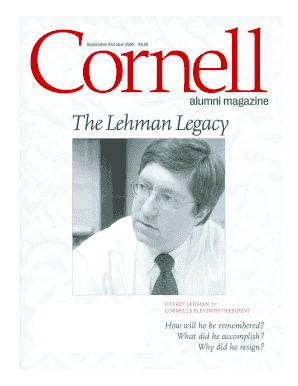
CORNELLS ELEVENTH PRESIDENT

Volume 9, Number 1, Fall 2005 - Cornell Blogs Service - Cornell - blogs cornell
The document is the Fall 2005 edition of 'The Current', a public policy journal from the Cornell Institute for Public Af ...

HONORS CHALLENGE PROPOSAL FORM - Hartwick College
The document is a position description form for summer employment at Hartwick College, outlining the necessary informati ...

Cornell Career Services surveys Cornell University bachelors degree recipients for six months follow
Cornell Career Services surveys Cornell University bachelors degree recipients for six months follow
The Cornell Career Services Class of 2006 Postgraduate Report provides an overview of the career outcomes for graduates ...

CS330 Project Assignments as of Wed Sept 20, 2006 - cs cornell
The document outlines the CS330 project assignments related to EF Games, introduced in a lecture on September 20, 2006. ...