




Here's how it works

01. Edit your certificate of assignment san bernardino online
Type text, add images, blackout confidential details, add comments, highlights and more.

02. Sign it in a few clicks
Draw your signature, type it, upload its image, or use your mobile device as a signature pad.

03. Share your form with others
Send san bernardino certificate of assignment via email, link, or fax. You can also download it, export it or print it out.
How to use or fill out certificate of assignment with our platform

- Click ‘Get Form’ to open the certificate of assignment in the editor.
- Begin by entering the case number in the designated field at the top of the form. This is crucial for identifying your case.
- In the section labeled 'Ground', select the appropriate reason for filing by checking one of the options provided, such as Adoption or Personal Injury.
- Next, indicate whether the petitioner resides within the district by checking the relevant box. This helps establish jurisdiction.
- Fill in the address details where applicable, including street address, city, state, and ZIP code. Ensure accuracy for proper processing.
- Finally, sign and date the form at the bottom. This confirms that all information provided is true and correct.
Start using our platform today to easily complete your certificate of assignment online for free!
Fill out certificate of assignment online
It's free
It's free
See more certificate of assignment versions
We've got more versions of the certificate of assignment form. Select the right certificate of assignment version from the list and start editing it straight away!
Security and compliance
At DocHub, your data security is our priority. We follow HIPAA, SOC2, GDPR, and other standards, so you can work on your documents with confidence.
Learn more


Related forms

Will for Adult With Children - cornickmountaincom
This document is a will for an adult with children, outlining the testator's intentions regarding the distribution of th ...

Infusion Therapy Consent Form - iVee Mobile IV Hydration
This document is an informed consent form for intravenous (IV) therapy, outlining the patient's agreement to undergo tre ...
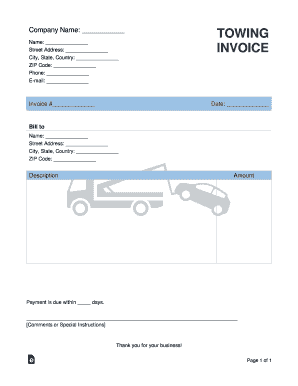
Towing Service Invoice Template
This document is a towing invoice template that includes sections for company and customer information, invoice details, ...

Residential Rental Application Form (Canada)
The document is an application form (Form 18) for renting residential premises under the Residential Tenancies Act 1987 ...

Note of appearance
The document provides instructions for completing a 'Note of Appearance' form, which can be filled out digitally or by h ...