




Here's how it works

01. Edit your form online
Type text, add images, blackout confidential details, add comments, highlights and more.

02. Sign it in a few clicks
Draw your signature, type it, upload its image, or use your mobile device as a signature pad.

03. Share your form with others
Send it via email, link, or fax. You can also download it, export it or print it out.
How to use or fill out Get And Sign Request Vehicle Information 2013-2019 - Fill ... with our platform

- Click ‘Get Form’ to open it in the editor.
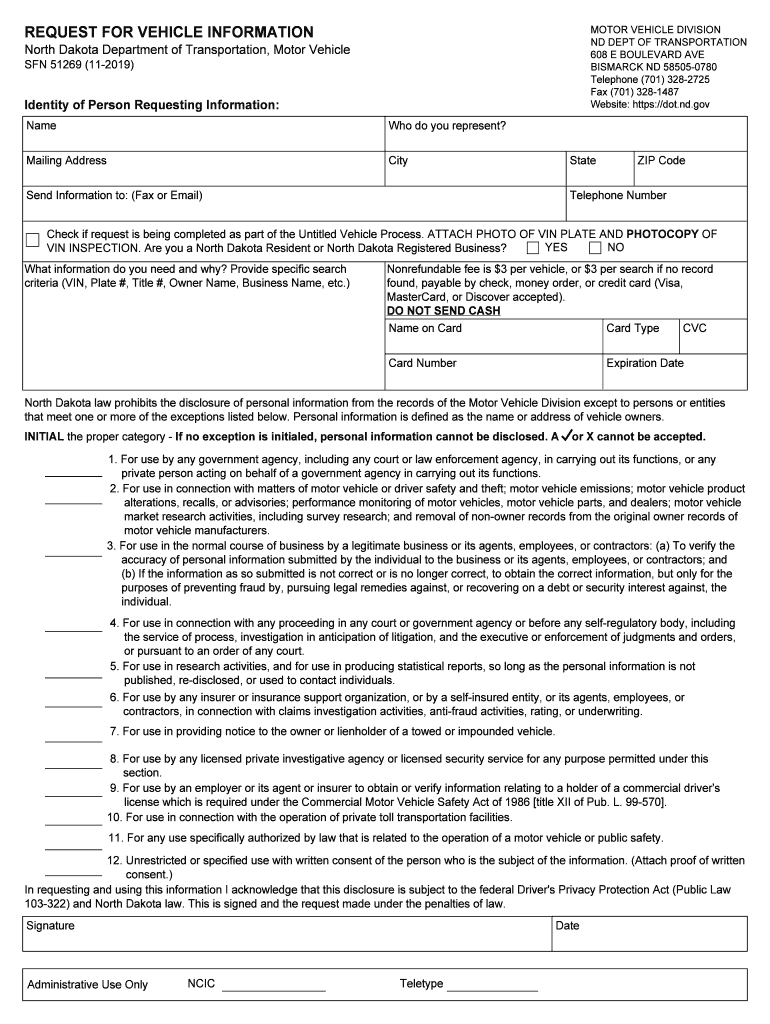
- Begin by filling out the 'Identity of Person Requesting Information' section. Enter your name, who you represent, and your mailing address including city, state, and ZIP code.
- Provide your telephone number and indicate whether this request is part of the Untitled Vehicle Process by checking the appropriate box.
- Attach a photo of the VIN plate and photocopy of VIN inspection if applicable. Specify if you are a North Dakota resident or registered business.
- In the 'What information do you need and why?' section, provide specific search criteria such as VIN, Plate #, Title #, Owner Name, or Business Name.
- Complete the payment information for the nonrefundable fee of $3 per vehicle. Ensure to include card type, number, expiration date, and CVC.
- Initial the proper category for personal information disclosure exceptions. If no exception is initialed, personal information cannot be disclosed.
- Finally, sign and date your request to acknowledge compliance with relevant laws before submitting it through our platform.
Start using our platform today to easily fill out your vehicle information request form for free!
Fill out Get And Sign Request Vehicle Information 2013-2019 - Fill ... online
It's free
It's free
See more Get And Sign Request Vehicle Information 2013-2019 - Fill ... versions
We've got more versions of the Get And Sign Request Vehicle Information 2013-2019 - Fill ... form. Select the right Get And Sign Request Vehicle Information 2013-2019 - Fill ... version from the list and start editing it straight away!
Security and compliance
At DocHub, your data security is our priority. We follow HIPAA, SOC2, GDPR, and other standards, so you can work on your documents with confidence.
Learn more


Related forms

Sutter Care at Home Timberlake Respiratory Care and Home Medical Equipment Order Form Sutter Care at
Sutter Care at Home Timberlake Respiratory Care and Home Medical Equipment Order Form Sutter Care at
The document is an order form for Sutter Care at Home Timberlake, detailing the necessary patient information, diagnosis ...

Form 2638
The document is an Authorization Agreement for Nonparent Relatives from the Texas Department of Family and Protective Se ...

Credit memo template form
The document is a Credit Memo from a company to a customer, detailing a credit transaction including customer informatio ...

Affidavit of Affixation form Affidavit of Affixation template
The document is an Affidavit of Affixation for a manufactured home, detailing the ownership, location, legal description ...
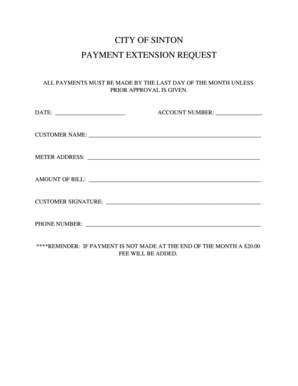
Payment extension
The document is a payment extension request form for the City of Sinton, requiring customers to provide their account de ...

Arc form
The document is a request form for homeowners to seek approval from the Architectural & Landscape Committee of their HOA ...