




Here's how it works

01. Edit your form online
Type text, add images, blackout confidential details, add comments, highlights and more.

02. Sign it in a few clicks
Draw your signature, type it, upload its image, or use your mobile device as a signature pad.

03. Share your form with others
Send it via email, link, or fax. You can also download it, export it or print it out.
How to use or fill out gv100 with our platform

- Click ‘Get Form’ to open the gv100 in the editor.
- Begin by filling in your full name as the Petitioner. Indicate your relationship to the Respondent, whether you are a family member or a law enforcement officer.
- Provide the court name and address where you are filing this petition. If you have legal representation, include your lawyer's name and State Bar number.
- Enter your address. If you prefer to keep it private, you may provide an alternative mailing address instead.
- Fill in the Respondent's full name, age, and known address details.
- Indicate why you are filing in this county by checking applicable reasons.
- If there are any other court cases involving the Respondent, check 'Yes' and provide details on the next page.
- Describe any firearms or ammunition that you believe the Respondent possesses, if applicable.
- State your grounds for requesting a Gun Violence Restraining Order by providing necessary details in the designated sections.
- Complete any additional requests such as for a hearing or temporary restraining order as needed before submitting your form.
Start using our platform today to fill out your gv100 form easily and for free!
Fill out gv100 online
It's free
It's free
See more gv100 versions
We've got more versions of the gv100 form. Select the right gv100 version from the list and start editing it straight away!
Security and compliance
At DocHub, your data security is our priority. We follow HIPAA, SOC2, GDPR, and other standards, so you can work on your documents with confidence.
Learn more


Related forms

Notice Provisions
The document outlines the regulations and requirements for Managing General Agents (MGAs) in Idaho, as established by th ...

GUARDIANSHIP OF JOHN DOE AND
The document is a Supreme Court opinion from Idaho regarding the appeal of natural parents seeking to terminate the guar ...

THE INDUSTRIAL COMMISSION - iic idaho
The document is a legal ruling from the Idaho Industrial Commission regarding the validity of purchase agreements betwee ...

MATTHEW S
The document is a Supreme Court opinion affirming the Industrial Commission's decision that Matthew S. Adams was ineligi ...
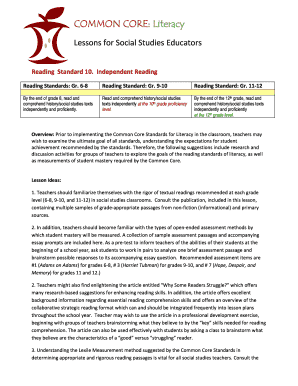
COMMON CORE: Literacy - Idaho State Department of Education
The document outlines the Common Core Literacy Standards for social studies educators, emphasizing the importance of ind ...

Rasmussen v Wal-Mart Stores, Inc - the Idaho Industrial Commission! - iic idaho
The document presents the findings, conclusions, and recommendations of the Idaho Industrial Commission regarding a clai ...

Idaho Standards for Learning Challenge Information - Idaho State
The Idaho Guidebook for Math and Science Educators provides strategies for making content accessible to English learners ...

Interim Benchmark Assessments - Assessment Training Institute - sde idaho
The document discusses the effectiveness and implications of interim benchmark assessments in education, questioning the ...