




Here's how it works

01. Edit your ares application online
Type text, add images, blackout confidential details, add comments, highlights and more.

02. Sign it in a few clicks
Draw your signature, type it, upload its image, or use your mobile device as a signature pad.

03. Share your form with others
Send it via email, link, or fax. You can also download it, export it or print it out.
How to use or fill out ares form with our platform

- Click ‘Get Form’ to open the ares form in the editor.
- Begin by entering your Name and Call Sign in the designated fields. Ensure that these are accurate as they are essential for identification.
- Fill in your Mailing Address, including City, State, and ZIP code. This information is crucial for communication purposes.
- Provide your e-mail address(es) and phone numbers (Home, Work, Cell). This allows ARES® leaders to reach you easily.
- Indicate your License Class by selecting the appropriate option from the dropdown menu.
- Check all bands and modes you can operate by marking the corresponding boxes under each category such as SSB, CW, FM, etc.
- Answer whether your home station can be operated without commercial power by checking 'Yes' or 'No'.
- Finally, add your Signature and Date at the bottom of the form to validate your registration.
Start filling out your ares form today for free using our platform!
Fill out ares form online
It's free
It's free
Security and compliance
At DocHub, your data security is our priority. We follow HIPAA, SOC2, GDPR, and other standards, so you can work on your documents with confidence.
Learn more


Related forms

THE WCU STANDARD FACILITIES USE AGREEMENT MUST BE USED FOR - (1) ANY PROGRAM OR ACTIVITY INVOLVING M
THE WCU STANDARD FACILITIES USE AGREEMENT MUST BE USED FOR - (1) ANY PROGRAM OR ACTIVITY INVOLVING M
The document outlines the Standard Facilities Use Agreement for Western Carolina University (WCU), detailing the terms u ...

FIELDWORK EXPERIENCE VERIFICATION FORM FIELDWORK EXPERIENCE VERIFICATION FORM
The document is a Fieldwork Experience Verification Form for undergraduate clinical experience in speech-language pathol ...

Charter School Facilities Program Application California School Finance Authority, Charter School Fa
Charter School Facilities Program Application California School Finance Authority, Charter School Fa
The document is an application form for the California School Finance Authority's Charter School Facilities Program. It ...

Formulaire qppmr 5096
The document is a detailed applicant questionnaire for a regular member position with the Royal Canadian Mounted Police ...

Transfers out - csc
The document provides instructions for transferring accumulated superannuation amounts (Post 1995) or additional contrib ...
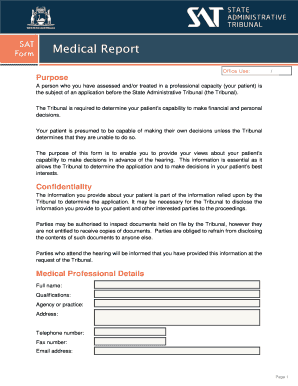
Medical Report template V13 docx
The document is a medical report intended for the State Administrative Tribunal to assess a patient's capability to make ...

Redundancy benefit application Redundancy benefit application
The document provides a comprehensive guide for members of the Public Sector Superannuation Scheme (PSS) applying for be ...

Best Auto Insurance Comparison Tool - us insurance online
The document outlines the financial policies and consent requirements for patients at Orlando Orthopaedic Center. It det ...