



Here's how it works



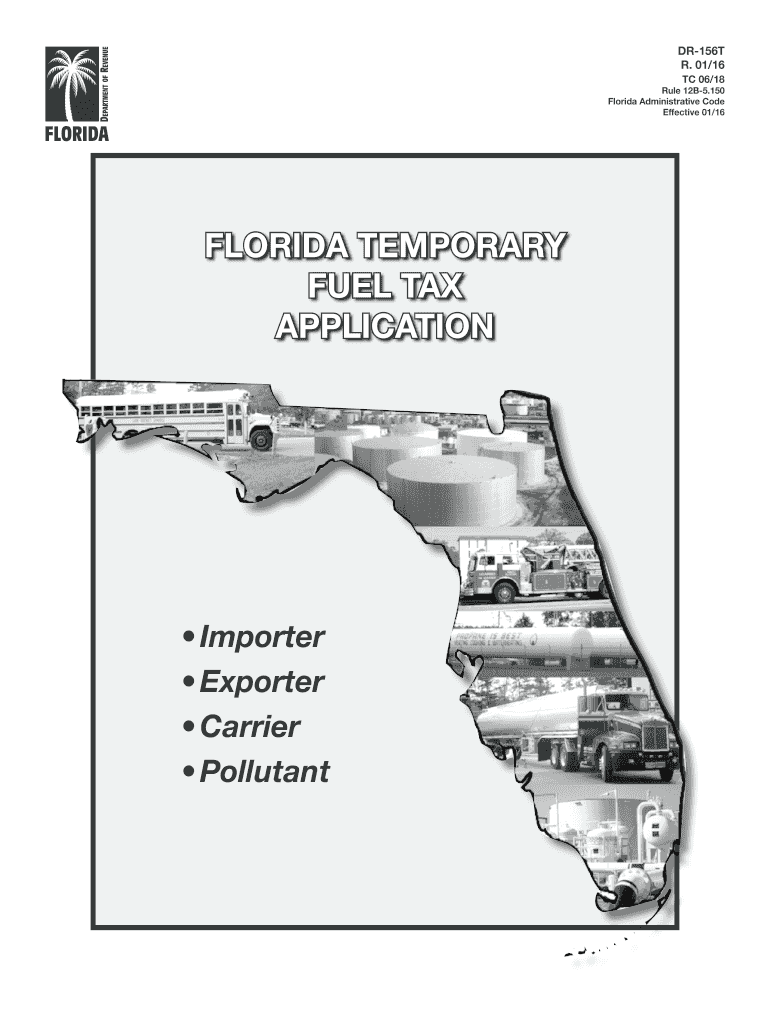
How to use or fill out 2016 FL DR-156T with our platform

- Click ‘Get Form’ to open the 2016 FL DR-156T in the editor.
- Begin by entering your Federal Employer Identification Number (FEIN) at the top of the form. This is essential for identification purposes.
- Fill in your Business Name and Phone Number. Ensure that all information is accurate to avoid processing delays.
- Provide your Trade Name, if applicable, along with your Fax Number. This helps in maintaining communication.
- Select the Type and Legal Organization of your business by checking the appropriate box. Options include Corporation, Partnership, Limited Liability Company, Individual/Sole Proprietorship, and more.
- Complete the Principal Business Location Address section accurately. Remember, this cannot be a P.O. Box.
- Indicate how you would like to receive information regarding Florida fuel tax by checking one of the options: Mail, Fax, or Email.
- Check all applicable boxes related to your business activities such as Importer, Exporter, Common Carrier, or Private Carrier.
- Review all entries for accuracy before submitting. Once completed, fax a copy to (850) 488-5997 and mail the original signed application to the Florida Department of Revenue.
Start using our platform today for free to streamline your document editing and submission process!
It's free
See more 2016 FL DR-156T versions
Got questions?
How can I create an eSignature on my 2016 FL DR-156T from Google Chrome?
Managing your documents with DocHub this way is very simple after you have downloaded its extension for Google Chrome. Navigate to the Chrome Web Store and install DocHub - Sign PDF from Gmail to get it. Give our tool access to your Google account, and then open an email containing 2016 FL DR-156T as an attachment and point to the file with your cursor - the DocHub extension button will automatically appear there. Click on it to open your form in our editor. Make any essential modifications, complete the blanks, and click Sign to create your legally-binding eSignature.
How do you edit 2016 FL DR-156T on iOS?
You can easily edit and complete your 2016 FL DR-156T on any iOS gadget. Open an internet browser of your choice, visit the DocHub site, authorize or create a new account, upload your file for editing, and make your required adjustments. Our service is mobile-friendly, so using its functions on your smartphone will be a no-brainer, even on the first try.
What are all of the taxes that go into a gallon of gas in Florida?
Is there an excise tax in Florida?
What is the tax on aviation fuel in Florida?
Security and compliance
At DocHub, your data security is our priority. We follow HIPAA, SOC2, GDPR, and other standards, so you can work on your documents with confidence.
Learn more