




Here's how it works

01. Edit your form online
Type text, add images, blackout confidential details, add comments, highlights and more.

02. Sign it in a few clicks
Draw your signature, type it, upload its image, or use your mobile device as a signature pad.

03. Share your form with others
Send it via email, link, or fax. You can also download it, export it or print it out.
How to use or fill out O COMM lex et justitia Court E RT C U Case No - courts ky with our platform

- Click ‘Get Form’ to open it in the editor.
- Begin by selecting your role as either a Party, Juror, Witness, or Attorney on behalf of a client who is deaf/hard of hearing. Mark the appropriate checkbox.
- Fill in your name and contact information in the Applicant Name and Telephone fields. If applicable, provide the Attorney's details as well.
- Specify the County where the case is being heard and complete the address fields for both the applicant and attorney.
- Indicate the type of proceeding, case name, case number, presiding judge, date and time when interpreter or assistance is needed.
- Select the type of interpreter required (ASL or certified relay) and specify any assistive technology needed.
- Provide any special requests or anticipated problems in the designated section to ensure all needs are addressed.
- Finally, print your name, sign where indicated, and include the date before submitting it to the Circuit Court Clerk’s Office.
Start using our platform today for free to streamline your document editing and submission process!
Fill out O COMM lex et justitia Court E RT C U Case No - courts ky online
It's free
It's free
See more O COMM lex et justitia Court E RT C U Case No - courts ky versions
We've got more versions of the O COMM lex et justitia Court E RT C U Case No - courts ky form. Select the right O COMM lex et justitia Court E RT C U Case No - courts ky version from the list and start editing it straight away!
Security and compliance
At DocHub, your data security is our priority. We follow HIPAA, SOC2, GDPR, and other standards, so you can work on your documents with confidence.
Learn more


Related forms

Dtf 950 2001 form

Msp account change form
The document outlines the Medical Services Plan (MSP) account change process for residents of British Columbia. It detai ...

Form 8283 (Rev December 2013) Noncash Charitable Contributions - irs
Form 8283 is used for reporting noncash charitable contributions on tax returns when the total deduction exceeds $500. I ...

2004 w 2 form
The document provides detailed instructions for completing and filing Forms W-2 and W-3 for the year 2004, including gui ...
Dm application
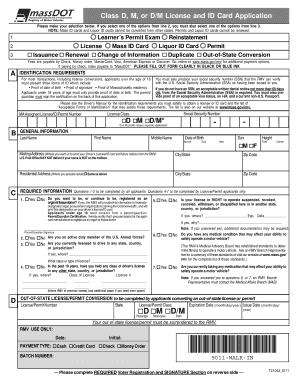
The document is an application form for obtaining a Class D, M, or D/M license and ID card in Massachusetts. It outlines ...
Independent Contractor Analysis - Florida Department of Revenue
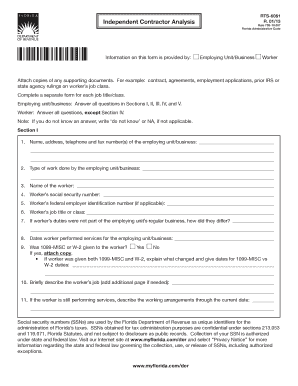
The document is an Independent Contractor Analysis form used in Florida, requiring information from both the employing u ...

DocHub fill-and-sign-pdf-form25488Pd542 061 Form - Fill Out and Sign Printable PDF Template
DocHub fill-and-sign-pdf-form25488Pd542 061 Form - Fill Out and Sign Printable PDF Template
The document outlines the process for requesting a Verification of Incident report from the New York City Police Departm ...

Va form 21 4192 fillable
The document is a Request for Employment Information related to a veteran's claim for disability benefits. It requires t ...