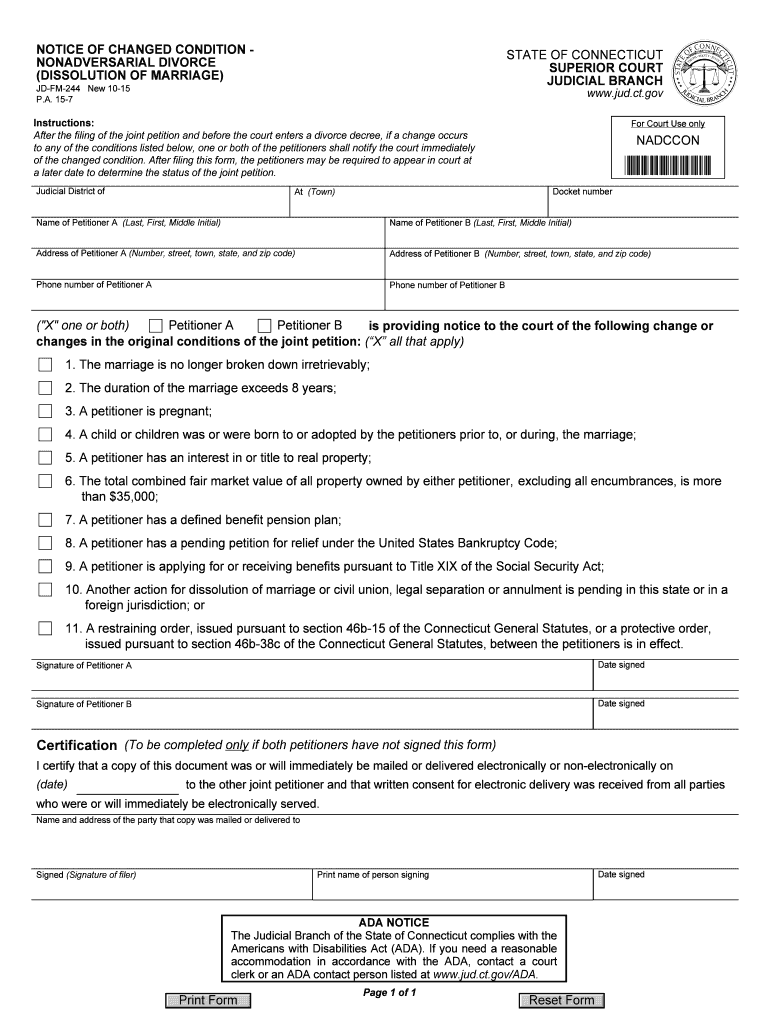
JD-FM-244 New 10-15 - jud ct 2026

Get Form
family services notice to court jd fm 223 Preview on Page 1

Here's how it works

01. Edit your family services notice to court jd fm 223 online
Type text, add images, blackout confidential details, add comments, highlights and more.
02. Sign it in a few clicks
Draw your signature, type it, upload its image, or use your mobile device as a signature pad.
03. Share your form with others
Send jd fm 223 via email, link, or fax. You can also download it, export it or print it out.

How to use or fill out JD-FM-244 New 10-15 - jud ct with our platform

Form edit decoration
9.5
Ease of Setup
DocHub User Ratings on G2
9.0
Ease of Use
DocHub User Ratings on G2
  1. Click ‘Get Form’ to open the JD-FM-244 in the editor.
  2. Begin by entering the Judicial District and Docket number at the top of the form.
  3. Fill in the names and addresses of both Petitioners A and B, ensuring all details are accurate.
  4. Provide phone numbers for both petitioners in the designated fields.
  5. Indicate any changes in conditions by checking the appropriate boxes that apply to your situation.
  6. Both petitioners must sign and date the form at the bottom. If only one signs, complete the certification section.
  7. Review all entries for accuracy before submitting. Use our platform’s tools to make any necessary edits easily.

Start using our platform today to streamline your document editing and ensure a smooth filing process!

See more JD-FM-244 New 10-15 - jud ct versions

We've got more versions of the JD-FM-244 New 10-15 - jud ct form. Select the right JD-FM-244 New 10-15 - jud ct version from the list and start editing it straight away!
Versions Form popularity Fillable & printable
2018 4.8 Satisfied (63 Votes)
2015 4.4 Satisfied (282 Votes)
be ready to get more

Complete this form in 5 minutes or less

Get form

Got questions?

We have answers to the most popular questions from our customers. If you can't find an answer to your question, please contact us.
Contact us
Attendance in Court May Not Be Required You and your spouse may get a divorce at any time. You may either request a hearing, or, if you and your spouse fill out the forms to be divorced without a hearing, most people do not need to come to court at all.
Note that if the defendant refuses to file a response and will not participate, the court will allow you to get divorced without their participation.
You can check local court records to see if they have been a party to any court proceeding, not just a divorce or legal separation. Most modern court cases are maintained on electronic files, making them easy to search by name. If they have lived elsewhere, check the court records there.
Divorce records are public records. You should be able to go to the family court and do a search based on your names. The hard part is figuring out where to do that - a person who files for divorce is supposed to do it in the county where the other spouse lives. So thats the starting point. Look where youve lived.
Connecticut divorce records are available to view freely online. The Civil/Family Case Look-up website provides access to summaries of divorce files and stores divorce information for up to 10 years.

Security and compliance

At DocHub, your data security is our priority. We follow HIPAA, SOC2, GDPR, and other standards, so you can work on your documents with confidence.

Learn more
ccpa2
pci-dss
gdpr-compliance
hipaa
soc-compliance

People also ask

To obtain a copy of a Divorce Decree or Dissolution of Civil Union Decree, contact the CT Superior Court where the divorce or dissolution was granted (see Directory of Connecticut Superior Courts).
You must fill in a financial affidavit either Form JD-FM-6-SHORT or Form JD-FM-6-LONG, depending on your gross annual income and net assets when getting divorced in Connecticut. This paperwork details your financial affairs, allowing the court to determine spousal and child support.

Related links