



Here's how it works



How to use or fill out jv462 2014-2019 form with our platform

- Click ‘Get Form’ to open the jv462 2014-2019 form in the editor.
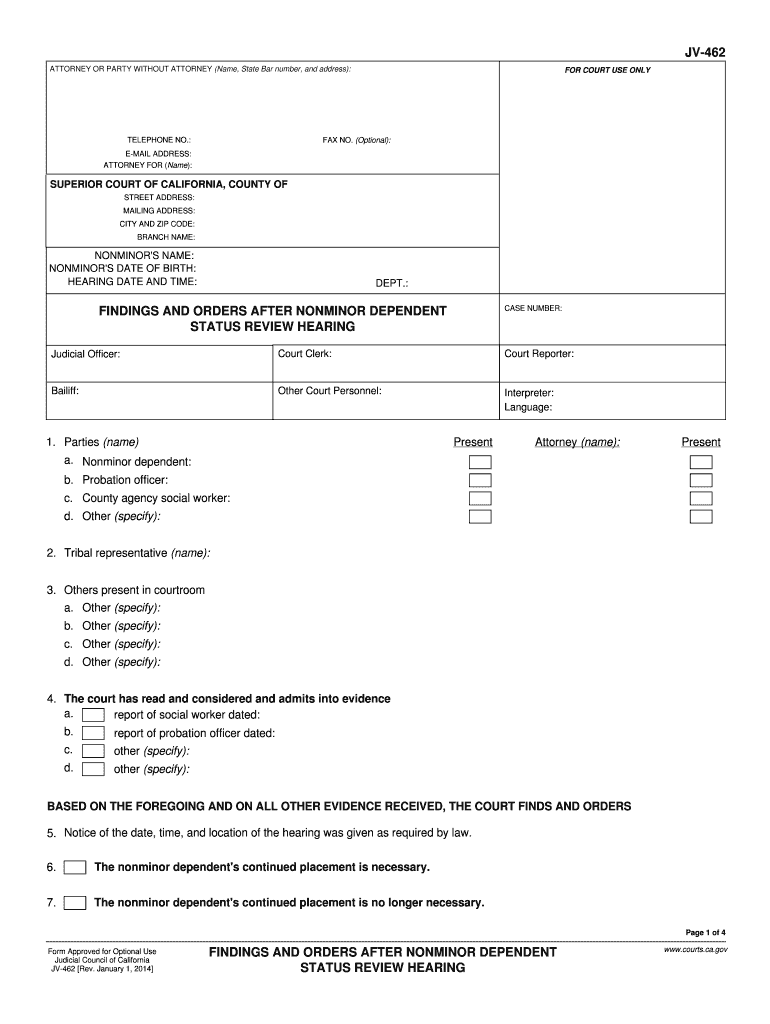
- Begin by filling in the attorney or party's name, state bar number, and address at the top of the form. Ensure that all contact information is accurate for effective communication.
- Proceed to enter details regarding the nonminor dependent, including their name and date of birth. This information is crucial for identifying the individual involved in the proceedings.
- Fill out the hearing date and time, along with the department and case number. This section helps organize court schedules and ensures proper documentation.
- In sections regarding findings and orders, carefully check boxes or provide necessary details about placements, compliance with plans, and any relevant reports. Each response should reflect accurate observations from hearings.
- Review all entries for completeness before saving your work. Utilize our platform’s features to ensure clarity and correctness throughout your document.
Start using our platform today to fill out your jv462 form online for free!
It's free
See more jv462 2014-2019 form versions
Got questions?
How can I sign my jv462 2014-2019 form without printing?
Electronic signatures are a perfect replacement for traditional signing, as they save time, effort, and money people spend on printing, scanning, and paper delivery. You can electronically sign your jv462 2014-2019 form utilizing a trustworthy and robust online document management services like DocHub. It complies with main eSignature standards (ESIGN and UETA), so all forms approved there are legally binding and have the same validity as manually signed ones.
How do you fill out jv462 2014-2019 form online?
You can get and modify your jv462 2014-2019 form online with the help of DocHub. Its simple yet feature-rich design allows you to start productive work immediately after you sign up your account. Create your profile and add your file, and then our user interface will guide you through our stress-free form completion experience.
Security and compliance
At DocHub, your data security is our priority. We follow HIPAA, SOC2, GDPR, and other standards, so you can work on your documents with confidence.
Learn more