




Here's how it works

01. Edit your tn temporary permit online online
Type text, add images, blackout confidential details, add comments, highlights and more.

02. Sign it in a few clicks
Draw your signature, type it, upload its image, or use your mobile device as a signature pad.

03. Share your form with others
Send it via email, link, or fax. You can also download it, export it or print it out.
How to use or fill out tn temporary permit with our platform

- Click ‘Get Form’ to open the tn temporary permit in the editor.
- Begin by filling out the 'APPLICANT/VEHICLE INFORMATION' section. Enter your name, phone number, city, street address, state, and zip code. Ensure that you provide the Vehicle Identification Number (VIN), model, make, color, purchase date, and year.
- Indicate whether the vehicle is new or used by checking the appropriate box. Specify where you purchased the vehicle from by selecting either dealer, individual, or auction and provide the seller's name.
- In the 'REASON FOR REQUESTING TEMPORARY OPERATION PERMIT' section, check one of the options that apply to your situation. Provide any required documentation details as specified for each reason.
- Complete the 'APPLICANT CERTIFICATION STATEMENT' by signing and dating it to certify that all information provided is accurate.
Start using our platform today to easily fill out your tn temporary permit for free!
Fill out tn temporary permit online
It's free
It's free
See more tn temporary permit versions
We've got more versions of the tn temporary permit form. Select the right tn temporary permit version from the list and start editing it straight away!
Security and compliance
At DocHub, your data security is our priority. We follow HIPAA, SOC2, GDPR, and other standards, so you can work on your documents with confidence.
Learn more


Related forms
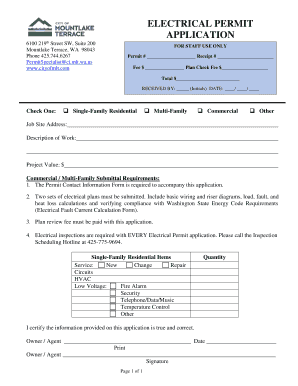
Permit # Receipt #
The document is an Electrical Permit Application for various types of construction projects in Mountlake Terrace, WA. It ...

Iga uniform
The document is a catalogue for IGA Uniform Apparel, detailing a wide range of clothing and accessories including shirts ...

Ilo classification pdf overview
The document is an ILO Classification form from the Department of Natural Resources and Mines, specifically for health s ...

Adaptive behavior assessment
The document is a Systematic Adaptive Behavior Characteristics Checklist designed for assessing children aged birth thro ...

Personal Income Tax Forms Current Year (2023-2024)
The document is a Delaware Individual Non-Resident Income Tax Return form for the fiscal year, detailing sections for ta ...

Learn How to Track Your Delaware State Tax Refund Status
The document is a guide for non-residents filing the Delaware Individual Income Tax Return for 2023. It outlines the pro ...

Arw 3
The document ARW-3 is a transmittal form used in Arkansas for submitting state copies of Forms W-2, Wage and Tax Stateme ...
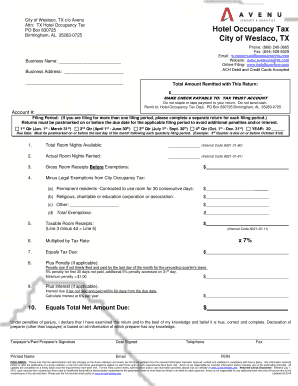
City weslaco form
The document is a tax return form for the Hotel Occupancy Tax in the City of Weslaco, TX, managed by Avenu. It provides ...