Type text, add images, blackout confidential details, add comments, highlights and more.

02. Sign it in a few clicks
Draw your signature, type it, upload its image, or use your mobile device as a signature pad.

03. Share your form with others
Send it via email, link, or fax. You can also download it, export it or print it out.

How to Use or Fill Out the Condominium Form
Ease of Setup
DocHub User Ratings on G2
Ease of Use
DocHub User Ratings on G2
Click 'Get Form' to open it in our editor.
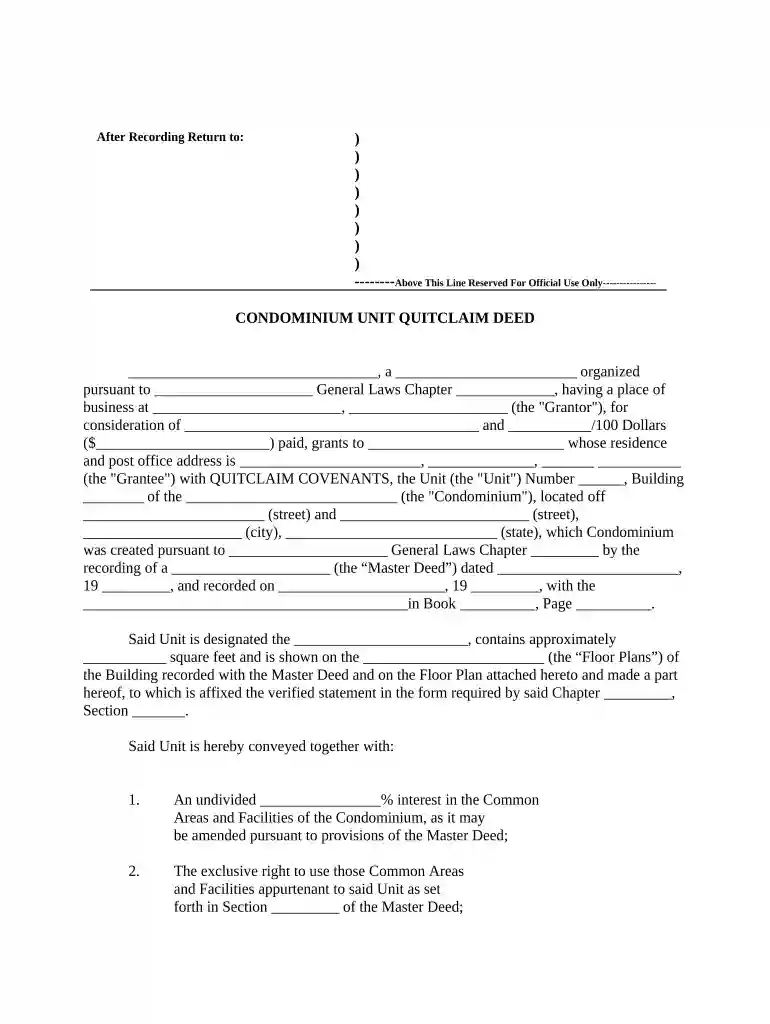
Begin by filling in the Grantor's name and organization type at the top of the form. Ensure that you accurately represent the entity transferring ownership.
Next, specify the consideration amount in both words and numbers. This is crucial for legal clarity regarding the transaction value.
In the Grantee section, provide the full name and address of the individual or entity receiving the unit. Double-check for accuracy to avoid future complications.
Fill in details about the Unit, including its number, building name, and location. This information should match official records for consistency.
Complete sections regarding common areas and facilities by indicating your undivided interest percentage and any exclusive rights associated with your unit.
Review all entered information carefully before finalizing. Utilize our platform’s features to save or share your document as needed.
Start using our editor today to streamline your condominium form completion!
Condominium for saleCondominium vs apartmentCondominium vs condoCondominium for rentCondominium vs townhouseCondominium near meCondominium pronunciationCondominium book
Security and compliance
At DocHub, your data security is our priority. We follow HIPAA, SOC2, GDPR, and other standards, so you can work on your documents with confidence.
Cookie consent notice
This site uses cookies to enhance site navigation and personalize your experience.
By using this site you agree to our use of cookies as described in our Privacy Notice.
You can modify your selections by visiting our Cookie and Advertising Notice.