




Here's how it works

01. Edit your patelco direct deposit form online
Type text, add images, blackout confidential details, add comments, highlights and more.

02. Sign it in a few clicks
Draw your signature, type it, upload its image, or use your mobile device as a signature pad.

03. Share your form with others
Send credit union direct deposit authorization form via email, link, or fax. You can also download it, export it or print it out.
How to use or fill out patelco direct deposit form with our platform

- Click ‘Get Form’ to open the Patelco Direct Deposit Authorization Form in the editor.
- Begin by filling in your personal information. Enter your name, address, city, state, and zip code in the designated fields. Ensure that all details are accurate for a smooth processing.
- Next, provide your ID number, which can be your Payroll, Social Security, or Employee ID Number. This is essential for identifying your account.
- Input your home phone number in the appropriate field to ensure that you can be contacted if needed.
- Authorize the direct deposit by checking the box indicating you wish to have your paycheck or recurring payment deposited into your Patelco account. Specify the effective date for this change.
- In the New Financial Institution Information section, confirm that Patelco Credit Union is selected and enter the Routing/Transit Number: 321076470.
- Choose whether you want to deposit into a Checking or Savings Account and fill in the corresponding account number.
Start using our platform today to easily complete and submit your Patelco Direct Deposit Form for free!
Fill out patelco direct deposit form online
It's free
It's free
Security and compliance
At DocHub, your data security is our priority. We follow HIPAA, SOC2, GDPR, and other standards, so you can work on your documents with confidence.
Learn more


Related forms

The Durable Power of Attorney: Health Care and Finances
The document is a Durable Power of Attorney for Health Care, which designates an individual to make health care decision ...

2018 VA LHD Vaccine Inventory Report
The document is a Vaccine Inventory Report for a Local Health Department (LHD), detailing the available vaccines, their ...

Dma 5157
This document is a notice informing the recipient that their total countable resources exceed the allowable limit for th ...

Fillable Application Date: Date of Use: Name of *applicant:
The document is a use permit application for events at the West Columbia Riverwalk Amphitheater and Greenway. It outline ...

PLEASECOMPLETEALLSECTIONSANDSUBMITTHIS FORMTOTHE CALENDARUNITWI THTHE PETITION
The document is an intake sheet for submitting petitions to the OATH Calendar Unit, requiring completion of various sect ...
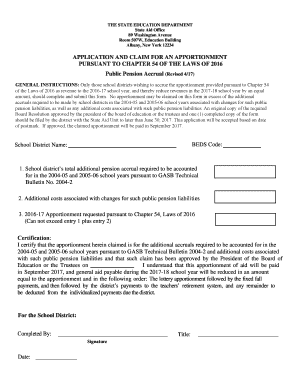
Application and Claim for An Apportionment Pursuant to Chapter
The document is an application form for school districts in New York to claim an apportionment of state aid related to p ...
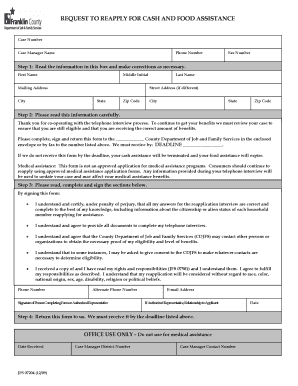
Community portal fcdjfs franklin county ohio
The document is a reapplication form for cash and food assistance, requiring individuals to verify their eligibility and ...

Coh notice of waiver form
The document is a notice from the City of Houston's Department of Health and Human Services regarding an application for ...