Services contract agreement 2026

Get Form
promise day agreement Preview on Page 1

Here's how it works

01. Edit your promise day agreement online
Type text, add images, blackout confidential details, add comments, highlights and more.
02. Sign it in a few clicks
Draw your signature, type it, upload its image, or use your mobile device as a signature pad.
03. Share your form with others
Send service contract agreement via email, link, or fax. You can also download it, export it or print it out.

How to use or fill out services contract agreement with our platform

Form edit decoration
9.5
Ease of Setup
DocHub User Ratings on G2
9.0
Ease of Use
DocHub User Ratings on G2
  1. Click ‘Get Form’ to open the services contract agreement in the editor.
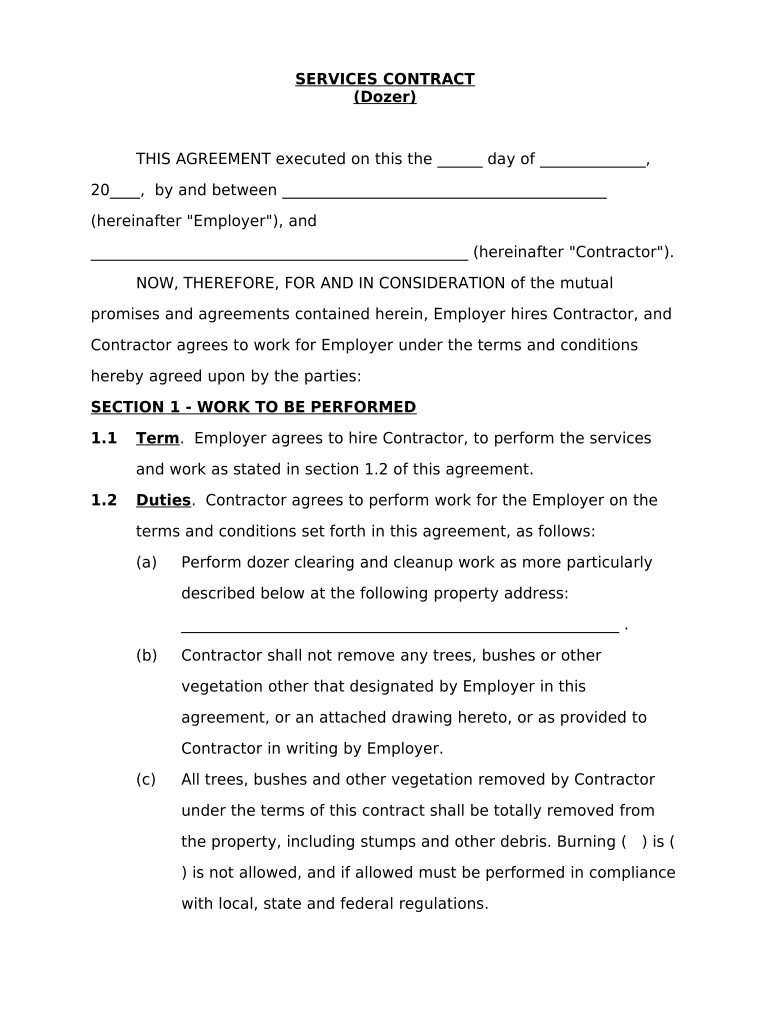
  2. Begin by filling in the date at the top of the document, followed by the names of both the Employer and Contractor. This establishes who is entering into the agreement.
  3. In Section 1, specify the work to be performed. Clearly outline the duties of the Contractor, including details about dozer clearing and any restrictions on vegetation removal.
  4. Set a completion date in Section 1.3, ensuring it reflects an agreed timeline for project delivery.
  5. Move to Section 2 to detail compensation. Enter the payment amount and frequency of payment clearly to avoid misunderstandings.
  6. Review Sections 3 through 5 for any additional clauses that may need your input, such as representations and miscellaneous provisions.
  7. Finally, ensure both parties sign at the bottom of the document before saving or sharing it directly from our platform.

Start using our platform today for free to streamline your services contract agreement process!

be ready to get more

Complete this form in 5 minutes or less

Get form

Got questions?

We have answers to the most popular questions from our customers. If you can't find an answer to your question, please contact us.
Contact us
What is typically included in a contract for services. Description of services. This lays out what professional services you and your company will receive. Payment terms. Ownership rights. Confidentiality clause. Indemnification clause. Amendment. Termination. Dispute resolution.
Write the contract in six steps Start with a contract template. Open with the basic information. Describe in detail what you have agreed to. Describe how the contract will end. Say which laws apply and how disputes will be resolved. Include space for signatures.
How do I create a Service Agreement? State how long the services are needed. Give a description of the service. Provide each partys information. Specify the payment details. Outline the agreements terms. Add additional clauses. Sign the agreement.
Legally, you can absolutely write your own service agreement. Contracts dont require special formatting, magic phrases, or a law degree to be valid. If both parties agree to the terms, something of value is exchanged, and the agreement is clearyouve got a contract.
A service contract is a formal, legally binding agreement between two parties where one party agrees to provide specific services to another in exchange for payment.

Security and compliance

At DocHub, your data security is our priority. We follow HIPAA, SOC2, GDPR, and other standards, so you can work on your documents with confidence.

Learn more
ccpa2
pci-dss
gdpr-compliance
hipaa
soc-compliance

People also ask

Key takeaways. Whether written or oral, contracts must include these elements: offer, acceptance, consideration, intention to create legal relations, and capacity to contract to be legally binding.

Related links