




Here's how it works

01. Edit your nys pesh complaint form online
Type text, add images, blackout confidential details, add comments, highlights and more.

02. Sign it in a few clicks
Draw your signature, type it, upload its image, or use your mobile device as a signature pad.

03. Share your form with others
Send what does pesh stand for via email, link, or fax. You can also download it, export it or print it out.
How to use or fill out pesh complaint with our platform

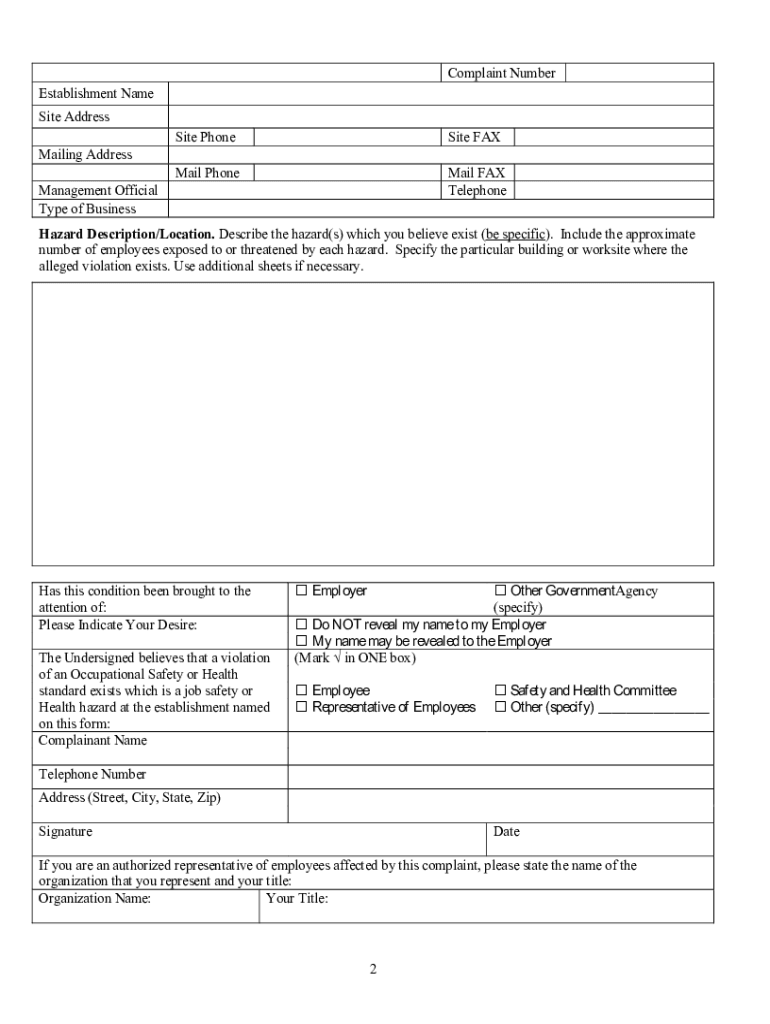
- Click ‘Get Form’ to open the pesh complaint in the editor.
- Begin by filling in the 'Establishment Name' and 'Site Address' fields. Ensure accuracy as this information is crucial for processing your complaint.
- In the 'Hazard Description/Location' section, describe each hazard in detail. Specify the exact location within the worksite and include any evidence that supports your claims, such as recent accidents.
- Indicate whether this condition has been reported to anyone by checking the appropriate box. This helps clarify previous actions taken regarding the hazards.
- Complete your personal details in the 'Complainant Name' section, including your contact information. Choose whether you want your name revealed to your employer.
- Finally, review all entries for accuracy before signing and dating the form. Once completed, submit it to the nearest DOSH district office listed at the bottom of the form.
Start using our platform today to easily fill out and submit your pesh complaint online for free!
Fill out pesh complaint online
It's free
It's free
See more pesh complaint versions
We've got more versions of the pesh complaint form. Select the right pesh complaint version from the list and start editing it straight away!
| Versions | Form popularity | Fillable & printable |
|---|---|---|
| 2011 | 4.8 Satisfied (285 Votes) |
Security and compliance
At DocHub, your data security is our priority. We follow HIPAA, SOC2, GDPR, and other standards, so you can work on your documents with confidence.
Learn more


Related forms

Veiled Passion - dspace sunyconnect suny
The dissertation titled 'Veiled Passion: Negotiation of Gender, Race and Religiosity among Young Muslim American Women' ...

Brief in opposition for respondent Florida Democratic - Election 2000
The document is a brief in opposition to a petition for a writ of certiorari filed by Robert C. Touchston and others aga ...

LOS ANGELES COUNTY EMPLOYEES
The document addresses a 404 error encountered on the Securities Class Action Clearinghouse (SCAC) website, explaining t ...

In Re: AMF Bowling Securities Litigation 99-CV-03023-Notice Of - securities stanford
The document addresses a 404 error encountered on the Securities Class Action Clearinghouse (SCAC) website, explaining t ...

Software Quality Assurance - Gravity Probe B - Stanford University - einstein stanford
The Software Quality Assurance Plan (P0630, Rev November 1, 2002) outlines the procedures and responsibilities for ensur ...

Loral Space and Communications Shareholders' Securities Litigation - securities stanford
The document addresses a 404 error encountered on the Securities Class Action Clearinghouse (SCAC) website, explaining t ...

Long Distance Dependencies
Chapter 14 discusses Long Distance Dependencies (LDDs) in linguistics, focusing on various examples such as wh-questions ...

Adjustment of status application certification and fee agreement - wings buffalo
The document is a certification and fee agreement for international employees at the University at Buffalo who are being ...