




Here's how it works

01. Edit your sapcr meaning online
Type text, add images, blackout confidential details, add comments, highlights and more.

02. Sign it in a few clicks
Draw your signature, type it, upload its image, or use your mobile device as a signature pad.

03. Share your form with others
Send sapcr form texas via email, link, or fax. You can also download it, export it or print it out.
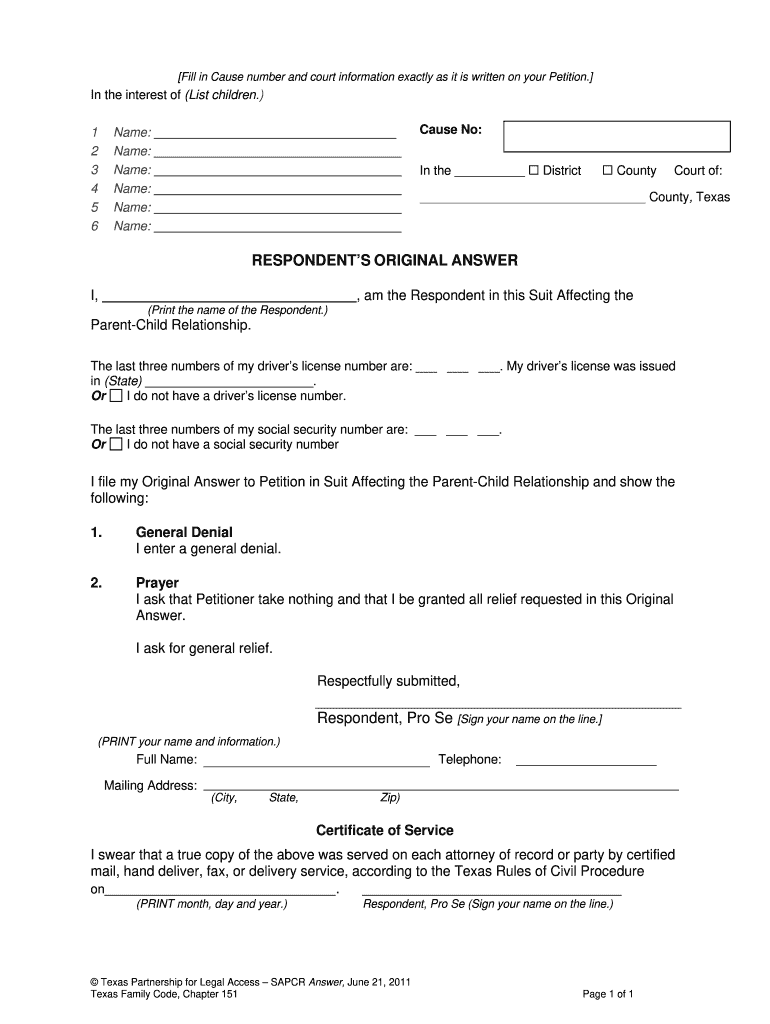
How to use or fill out sapcr texas form with our platform

- Click ‘Get Form’ to open the sapcr texas form in the editor.
- Begin by filling in the Cause Number and court information exactly as it appears on your Petition. This ensures that your document is correctly linked to your case.
- List the names of all children involved in the case in the designated section. Make sure to include each child's name clearly.
- Indicate whether this is a District or County Court by checking the appropriate box.
- As the Respondent, print your name where indicated and provide the last three digits of your driver’s license number or social security number, if applicable. If you do not have either, select the appropriate option.
- Complete the General Denial section if you wish to deny all claims made by the Petitioner.
- In the Prayer section, specify any relief you are requesting from the court.
- Sign and print your full name at the bottom of the form, along with your contact information including telephone number and mailing address.
- Finally, complete the Certificate of Service by indicating how and when you served a copy of this document to other parties involved.
Start using our platform today for free to streamline your SAPCR Texas form completion!
Fill out sapcr texas form online
It's free
It's free
Security and compliance
At DocHub, your data security is our priority. We follow HIPAA, SOC2, GDPR, and other standards, so you can work on your documents with confidence.
Learn more


Related forms

SC1040 3075
The document is the 2024 Individual Income Tax Return form for the State of South Carolina, detailing the necessary info ...

Massachusetts Solar and Wind Energy Credit 2024
The document outlines the Massachusetts Schedule EC for claiming a Solar and Wind Energy Credit for residential properti ...

2024 Form EF Oklahoma Income Tax Declaration for Electronic Filing
The document is the Oklahoma Income Tax Declaration for Electronic Filing, specifically for various tax forms (512, 512- ...

Form 2555-EZ Foreign Earned Income Exclusion - IRS
The document is Form 2555-EZ, used by U.S. citizens or resident aliens to claim the Foreign Earned Income Exclusion for ...

Form 8038 (Rev September 2018) Information Return for Tax-Exempt Private Activity Bond Issues
Form 8038 (Rev September 2018) Information Return for Tax-Exempt Private Activity Bond Issues
The document is Form 8038, an information return for tax-exempt private activity bond issues as required by the Internal ...

Sc 2644 FormFill Out Printable PDF Forms Online
The document is the Modelo SC 2644, a form issued by the Government of Puerto Rico's Department of the Treasury for taxp ...

Form N-30, Rev 2024, Corporation Income Tax Return
The document is the 2024 N-30 Corporation Income Tax Return form for the State of Hawaii, used by corporations to report ...

Iowa exemption certificate
The Iowa Sales/Use/Excise Tax Exemption Certificate is a document for purchasers to claim exemptions from sales, use, or ...