



Here's how it works



How to use or fill out esb nc 2 form to print with our platform

- Click ‘Get Form’ to open the esb nc 2 form in the editor.
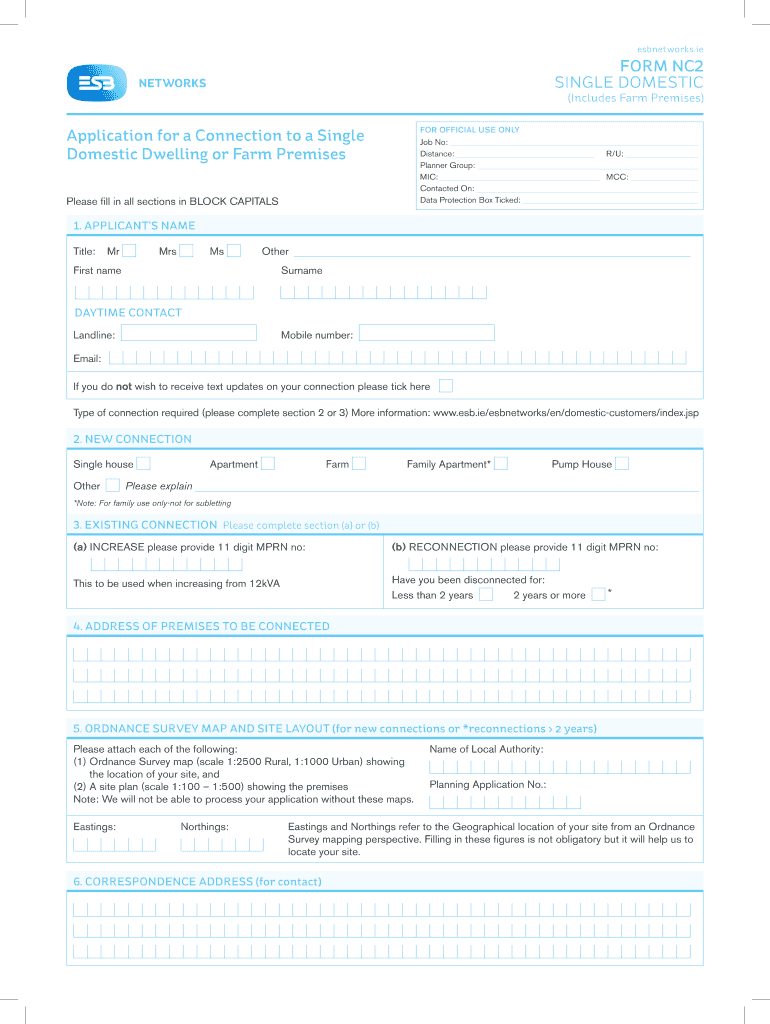
- Begin by filling in your personal details in BLOCK CAPITALS. Include your title, first name, surname, and daytime contact information.
- Specify the type of connection required by selecting from options such as 'Single house', 'Apartment', or 'Farm'.
- If applicable, complete section 3 for existing connections by providing the MPRN number and indicating if you have been disconnected for less than or more than two years.
- Fill in the address of the premises to be connected and attach the required Ordnance Survey map and site layout as specified in section 5.
- Complete sections regarding heating types and connection capacity requirements based on your needs. Consult your electrical contractor if necessary.
- Finally, ensure you sign and date the application before submitting it through our platform.
Start using our platform today to easily fill out and print your esb nc 2 form for free!
It's free
See more esb nc 2 form to print versions
Got questions?
Can I type my electronic signature on my esb nc 2 form to print?
Sure, a typed name is accepted as a legitimate electronic signature when you create it on your paperwork using a compliant solution like DocHub. Simply import your esb nc 2 form to print to our editor, click Sign in the top tool pane → Create your signature → Type your name in the proper tab, and choose how it will look on your document.
How do you edit esb nc 2 form to print in Chrome?
If you use Chrome, there are two easy ways to modify your esb nc 2 form to print online. First, visit the DocHub website, add your file, and modify it utilizing our toolbar. You may also set up our Chrome extension and modify any document by dragging and dropping it in your browser window.
Security and compliance
At DocHub, your data security is our priority. We follow HIPAA, SOC2, GDPR, and other standards, so you can work on your documents with confidence.
Learn more