Lic 603 2026

Get Form
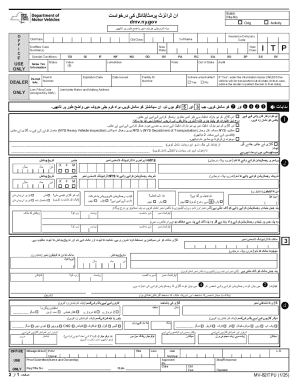
lic 603 Preview on Page 1

Here's how it works

01. Edit your lic 603 online
Type text, add images, blackout confidential details, add comments, highlights and more.
02. Sign it in a few clicks
Draw your signature, type it, upload its image, or use your mobile device as a signature pad.
03. Share your form with others
Send lic603 via email, link, or fax. You can also download it, export it or print it out.

How to use or fill out lic 603 with our platform

Form edit decoration
9.5
Ease of Setup
DocHub User Ratings on G2
9.0
Ease of Use
DocHub User Ratings on G2
  1. Click ‘Get Form’ to open the lic 603 in the editor.
  2. Begin by entering the applicant’s name and age in the designated fields. This information is crucial for identifying the individual.
  3. In the health section, describe the overall health condition, including any dietary limitations. Use clear and concise language to ensure accurate representation.
  4. Detail any physical disabilities, specifying limitations such as vision or hearing issues. This helps assess the applicant's needs effectively.
  5. Provide a comprehensive health history, listing prescribed medications and any major illnesses or surgeries from the last five years.
  6. Fill out social factors by describing likes, dislikes, interests, and activities that may influence care decisions.
  7. Indicate bed status by selecting one of the options provided. This helps facilities understand daily activity levels.
  8. Complete tuberculosis information by answering questions regarding family history and recent exposure. Include details if applicable.
  9. Assess ambulatory status and functional capabilities by checking appropriate boxes based on the applicant's abilities.
  10. Finally, review all sections for accuracy before signing and dating at the bottom of the form. Ensure that both the applicant (or representative) and licensee sign where required.

Start filling out your lic 603 today using our platform for free!

See more lic 603 versions

We've got more versions of the lic 603 form. Select the right lic 603 version from the list and start editing it straight away!
Versions Form popularity Fillable & printable
1999 4.8 Satisfied (165 Votes)
be ready to get more

Complete this form in 5 minutes or less

Get form

Security and compliance

At DocHub, your data security is our priority. We follow HIPAA, SOC2, GDPR, and other standards, so you can work on your documents with confidence.

Learn more
ccpa2
pci-dss
gdpr-compliance
hipaa
soc-compliance