



Here's how it works



How to use or fill out bjc financial assistance with our platform

- Click ‘Get Form’ to open the bjc financial assistance application in the editor.
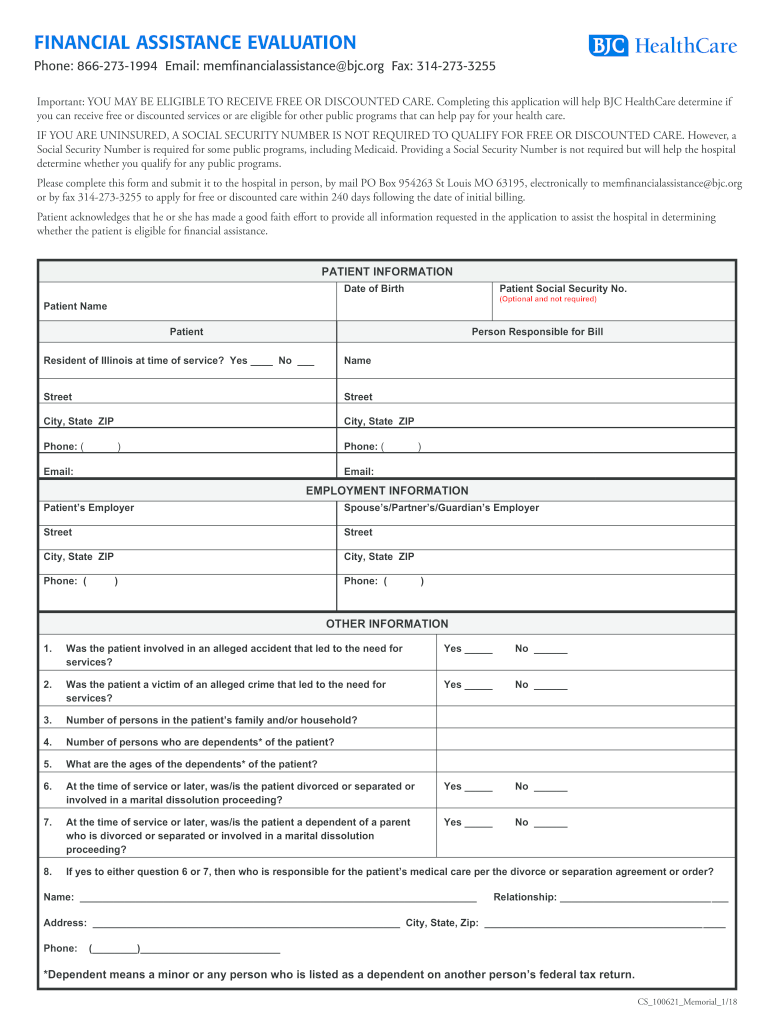
- Begin by filling out the 'Patient Information' section. Enter your name, date of birth, and contact details. If applicable, include the Social Security Number, though it is optional.
- Next, provide 'Employment Information' for both yourself and your spouse or partner. Include employer names and contact information.
- In the 'Other Information' section, answer questions regarding any accidents or crimes related to your medical services. This helps determine eligibility for assistance.
- List all insurance coverages in the designated section. Ensure you include policy numbers and types of insurance.
- Complete the 'Monthly Income and Expenses' section by detailing your income sources and monthly expenses. Attach necessary proof of income as specified.
- Finally, review all entered information for accuracy before signing the certification at the end of the form.
Start using our platform today to easily complete your bjc financial assistance application online for free!
It's free
See more bjc financial assistance versions
Got questions?
Can I sign my bjc financial assistance application online on a mobile?
Yes, you’ll find numerous apps for this on the web. However, if you need to eSign your bjc financial assistance application online without installing extra software, DocHub is the best choice you can make. This robust editor works on mobile devices just like on desktops. Open our editor in your preferred internet browser, register or sign in to your account, and start processing your paperwork.
How do you fill out bjc financial assistance application 2026 application on iOS?
You need only an internet connection and a web browser to fill out your bjc financial assistance application 2026 application by using an iOS phone. Open the DocHub website and authenticate. Then, add your file or choose it from the list in your dashboard. Then use our editing instruments to fill out your form and preserve all your adjustments. You can also send it to a specified recipient right away.
Does BJC own Missouri Baptist?
Is Washington University a part of BJC?
What does BJC stand for in BJC HealthCare?
Security and compliance
At DocHub, your data security is our priority. We follow HIPAA, SOC2, GDPR, and other standards, so you can work on your documents with confidence.
Learn more


Related forms