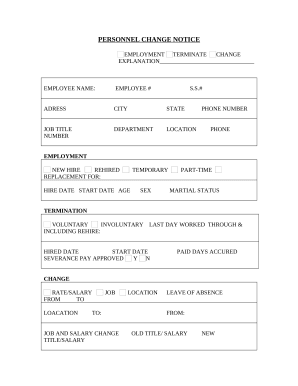
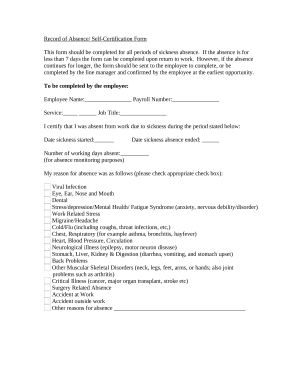
Transform your template operations with Personnel Files

Your workflows always benefit when you can easily get all of the forms and documents you need on hand. DocHub delivers a a huge library of document templates to ease your daily pains. Get a hold of Personnel Files category and quickly find your form.

Start working with Personnel Files in several clicks:

  1. Gain access to Personnel Files and find the document you require.
  2. Click Get Form to open it in the editor.
  3. Begin modifying your document: add more fillable fields, highlight sentences, or blackout sensitive details.
  4. The app saves your modifications automatically, and once you are all set, you are able to download or distribute your file with other contributors.

Enjoy seamless form administration with DocHub. Explore our Personnel Files category and get your form today!


Video Guide on Personnel Files management

video background

Commonly Asked Questions about Personnel Files

Examples of items that should not be included in the personnel file are: Pre-employment records (with the exception of the application and resume) Monthly attendance transaction documents. Whistleblower complaints, notes generated from informal discrimination complaint investigations, Ombuds, or Campus Climate.
Under California regulations, medical information should be kept separate from the personnel file to protect the employees confidential information.
Ideally, digital is the recommended employee personnel file format, with files stored securely either online or on a server. Digital HR records have a docHub advantage over paper records, as theyre more secure and can be fully backed up.
Employers should keep all job-related documentation such as hiring records, performance reviews, disciplinary actions and job descriptions in an employees general personnel file. Consider whether the document would be relevant to a supervisor who may review this file when making employment decisions.
For example, employers cannot include information about an employees race, religion, or political views in their personnel file.
A personnel file is a place employers use to store the necessary documentation associated with each employee working with the company. Personnel files represent the individuals employment status, position, and employment history. Personnel Files: What Employee Documents to Keep on File? kbibenefits.com personnel-files-what-empl kbibenefits.com personnel-files-what-empl
It represents the persons employment history with your organization and includes all relevant records about their job and employment status. Some employee documents are standard and go into all personnel files. Others relate specifically to an individual and what theyve done at the company.