




Here's how it works

01. Edit your return of company property letter online
Type text, add images, blackout confidential details, add comments, highlights and more.

02. Sign it in a few clicks
Draw your signature, type it, upload its image, or use your mobile device as a signature pad.

03. Share your form with others
Send return of company property form via email, link, or fax. You can also download it, export it or print it out.
How to Use or Fill Out Company Property with Our Platform

- Click ‘Get Form’ to open the company property checklist in the editor.
- Begin by reviewing the list of items that need to be returned. Each item, such as Company Books, Keys, and ID, is crucial for ensuring all company property is accounted for.
- For each item listed, check the corresponding box once it has been returned. This includes electronic devices like laptops and cell phones, as well as physical items like keys and credit cards.
- If there are additional items not listed, use the blank lines provided at the bottom of the form to specify these items. Ensure you provide a clear description for accurate tracking.
- Once all items have been checked off and any additional items noted, review your entries for accuracy before finalizing the document.
Start using our platform today to streamline your document management process for free!
Fill out company property online
It's free
It's free
Security and compliance
At DocHub, your data security is our priority. We follow HIPAA, SOC2, GDPR, and other standards, so you can work on your documents with confidence.
Learn more


Related forms

FAIRFIELD HIGH SCHOOL
The document is a transcript request form for Fairfield High School, detailing the necessary information and fees requir ...

Omb no 0938 0986
The document is a Rehabilitation Unit Criteria Worksheet from the Centers for Medicare & Medicaid Services (CMS) that ou ...
Pop warner homeschool eligibility form
The document is a registration form for a skill-building program, collecting information from parents and players, inclu ...
Riverside county recorder forms
Signed authorization form first advantage
The document is a Background Check Form intended for candidates applying for a position at Fonterra Co-operative Limited ...
Virginia dmv forms
The document provides detailed instructions for completing the Operating Authority Certificate or License Application (O ...
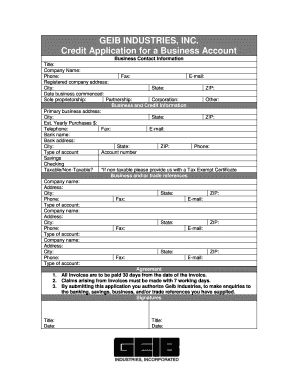
Blank credit application
The document is a credit application form for a business account with GEIB Industries, Inc. It collects essential busine ...

Jcahpo application for examination
The document is an application form for the JCAHPO (Joint Commission on Allied Health Personnel in Ophthalmology) examin ...