




Here's how it works



How to use or fill out Prescribing Physician's with our platform

- Click ‘Get Form’ to open the Prescribing Physician's Statement in the editor.
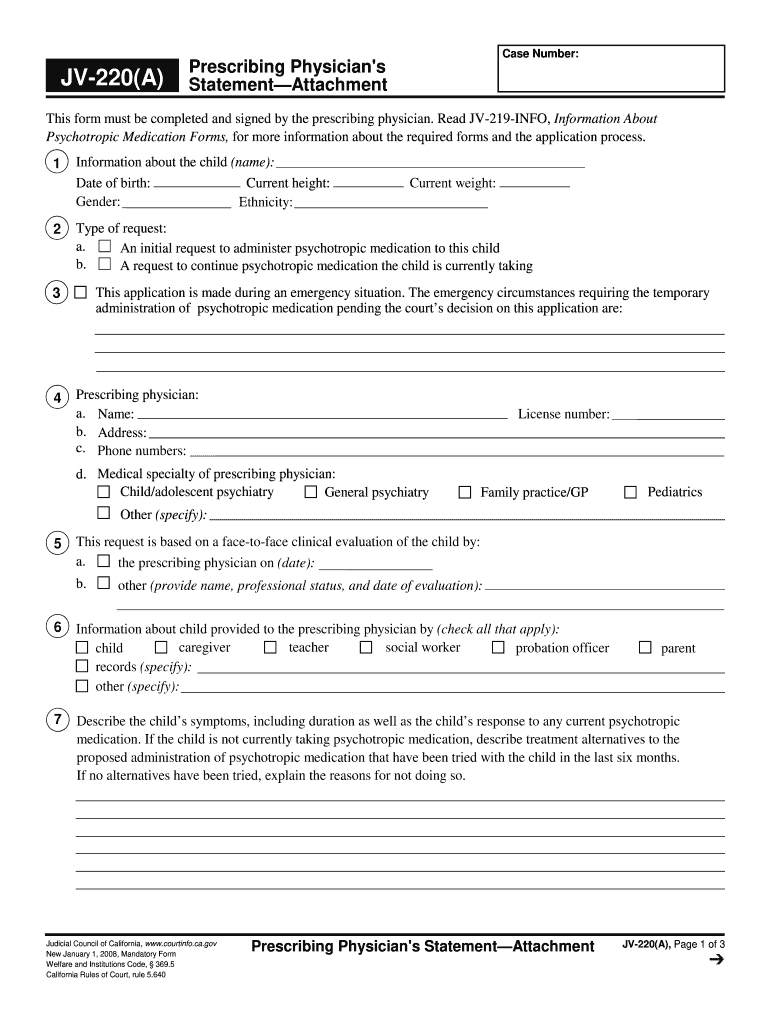
- Begin by entering the child's information, including their name, date of birth, current height, weight, gender, and ethnicity. This foundational data is crucial for accurate assessment.
- Indicate the type of request: whether it’s an initial request for psychotropic medication or a continuation of existing medication. Ensure clarity in this section.
- Fill in details about the prescribing physician, including name, address, phone numbers, license number, and medical specialty. This establishes the authority behind the prescription.
- Provide a comprehensive description of the child’s symptoms and any previous treatments attempted. This context is vital for understanding the necessity of medication.
- List all psychotropic medications currently administered or proposed to be started. Clearly mark each as New (N) or Continuing (C) and provide relevant details regarding dosage and administration schedule.
Start using our platform today to streamline your document editing and form completion process for free!
It's free
See more Prescribing Physician's versions
Got questions?
Can I draw my electronic signature to approve my Prescribing Physician's?
Sure, electronically drawing your signature is acceptable, but only if you utilize a tool that complies with industry regulations and policies. Consider DocHub, which guarantees eSignature validity under ESIGN and UETA requirements. All you need to eSign your Prescribing Physician's is an account with DocHub and an internet connection. When you open your paperwork in our editor, click Sign and select the Draw option.
How to fill out and sign Prescribing Physician's online?
You may quickly complete, edit, and even eSign your Prescribing Physician's using DocHub. Create a new profile and start your free trial. After that, you can upload the file with the form and simply make all the needed edits. No need to print on paper or use a third-party application to sign it, as you can place your electronic signature on your document faster through DocHub.
Is there a difference between a doctor and a physician?
Who is responsible for prescribing?
What is a prescriber in healthcare?
Security and compliance
At DocHub, your data security is our priority. We follow HIPAA, SOC2, GDPR, and other standards, so you can work on your documents with confidence.
Learn more




