




Here's how it works



How to use or fill out CSD 1099 - Southern District of California - casb uscourts with our platform

- Click ‘Get Form’ to open the CSD 1099 in the editor.
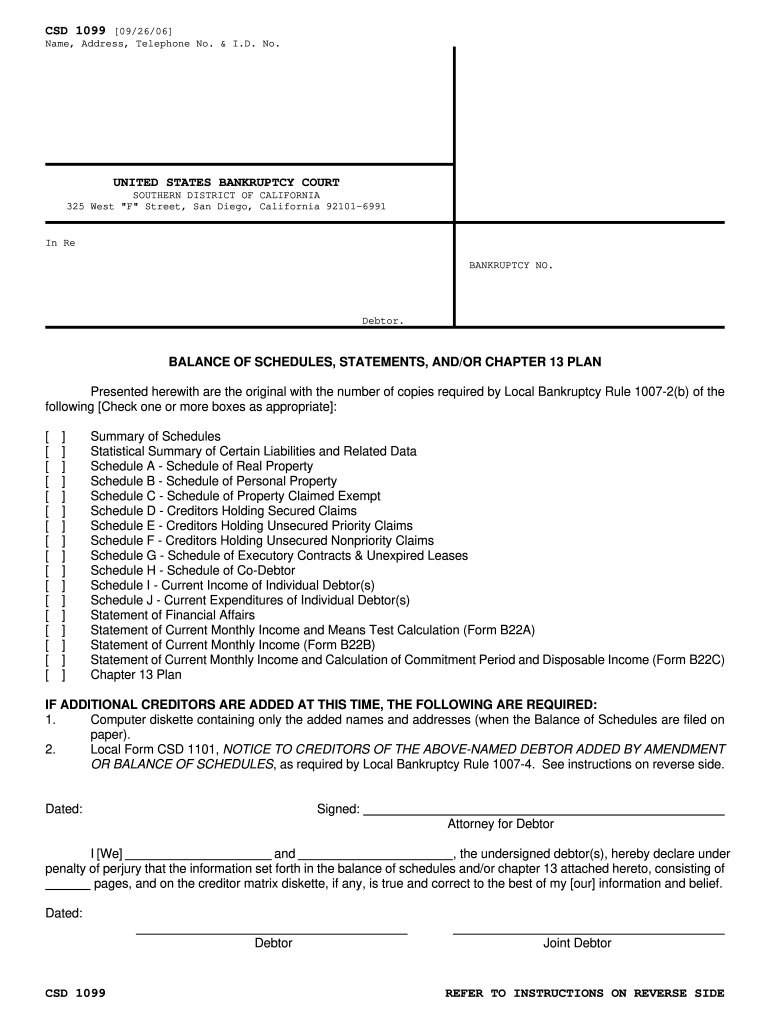
- Begin by entering your name, address, telephone number, and identification number in the designated fields at the top of the form.
- In the 'In Re' section, input the bankruptcy number associated with your case.
- Check the appropriate boxes to indicate which schedules and statements you are submitting. Ensure that you include all relevant documents as required by Local Bankruptcy Rule 1007-2(b).
- Complete the declaration section at the bottom of the form, ensuring that both debtors sign and date where indicated.
- If applicable, attach any additional notices or documents as specified in the instructions on page two of the form.
Start using our platform today for free to streamline your document editing and ensure a smooth filing process!
It's free
See more CSD 1099 - Southern District of California - casb uscourts versions
Got questions?
How do I sign my CSD 1099 - Southern District of California - casb uscourts on iOS?
With DocHub, you can easily approve your CSD 1099 - Southern District of California - casb uscourts or any other paperwork on iOS, even without installing extra applications. You can access your DocHub account from any web-connected browser and complete and sign your form in any way you like with just a couple of clicks.
How do you edit CSD 1099 - Southern District of California - casb uscourts online?
With DocHub, there are several convenient methods to edit your CSD 1099 - Southern District of California - casb uscourts online. You can drag and drop the form and modify it straight at the DocHub site or use our browser extension to fill out your form right away. Additionally, you can modify your PDF on your smartphone, as DocHub is compatible with all the accessible mobile platforms.
Security and compliance
At DocHub, your data security is our priority. We follow HIPAA, SOC2, GDPR, and other standards, so you can work on your documents with confidence.
Learn more


