Dwc ca form 102322 2010-2026

Get Form
dwc ca form 102322 2010 Preview on Page 1

Here's how it works

01. Edit your form online
Type text, add images, blackout confidential details, add comments, highlights and more.
02. Sign it in a few clicks
Draw your signature, type it, upload its image, or use your mobile device as a signature pad.
03. Share your form with others
Send it via email, link, or fax. You can also download it, export it or print it out.

How to use or fill out dwc ca form 102322 2010 with our platform

Form edit decoration
9.5
Ease of Setup
DocHub User Ratings on G2
9.0
Ease of Use
DocHub User Ratings on G2
  1. Click ‘Get Form’ to open the dwc ca form 102322 2010 in the editor.
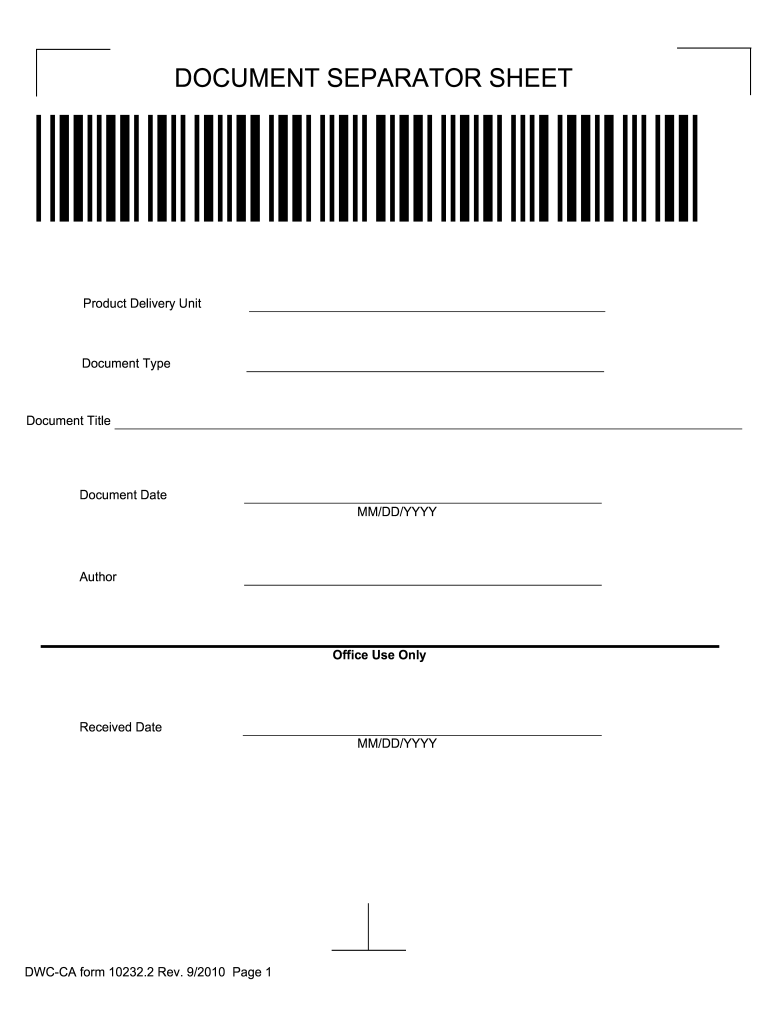
  2. Begin by entering the 'Document Date' in the specified MM/DD/YYYY format. This is crucial for record-keeping.
  3. Fill in the 'Product Delivery Unit' section, ensuring that you provide accurate details relevant to your delivery.
  4. Complete the 'Document Type' and 'Document Title' fields. These should reflect the nature of your submission clearly.
  5. If applicable, enter your name in the 'Author' field. This identifies who is responsible for the document.
  6. Leave the 'Office Use Only' and 'Received Date' sections blank, as these will be filled out by administrative personnel.
  7. Once all fields are completed, review your entries for accuracy before saving or printing your form.

Start using our platform today to fill out your forms online for free!

See more dwc ca form 102322 2010 versions

We've got more versions of the dwc ca form 102322 2010 form. Select the right dwc ca form 102322 2010 version from the list and start editing it straight away!
Versions Form popularity Fillable & printable
2017 4.8 Satisfied (52 Votes)
2014 4 Satisfied (41 Votes)
2014 4.4 Satisfied (433 Votes)
2010 4.3 Satisfied (254 Votes)
2008 4.2 Satisfied (59 Votes)
be ready to get more

Complete this form in 5 minutes or less

Get form

Got questions?

We have answers to the most popular questions from our customers. If you can't find an answer to your question, please contact us.
Contact us
The CA-1 form should be used if you have sustained a traumatic injury on the job. A Traumatic Injury is a wound or other condition of the body caused by external force, including stress or strain.
So, how much are California workers comp settlements? In California, workers compensation settlements vary widely, but most fall between $2,000 and $40,000. About 12% of settlements are under $2,000, 55% range from $2,000 to $20,000, and 13% fall between $20,001 and $40,000.
DWC-7 Notice to Employees-Injuries Caused by Work (English and Spanish). This form provides your employees with information regarding workers compensation benefits and the Medical Provider Network (MPN) in California.
If youve been injured on the job in California, your first step toward getting workers compensation benefits is completing and submitting the DWC-1 Claim Form. This form is essential without it, your employer and their insurance company have no legal obligation to provide benefits.
Use DWC services You can contact the Information and Assistance Unit if you have questions or call the DWC Information Services Center at 1-800-736-7401 to speak to a live representative.

Security and compliance

At DocHub, your data security is our priority. We follow HIPAA, SOC2, GDPR, and other standards, so you can work on your documents with confidence.

Learn more
ccpa2
pci-dss
gdpr-compliance
hipaa
soc-compliance
be ready to get more

Complete this form in 5 minutes or less

Get form

People also ask

Form DWC-1 is used to file a workers compensation claim with your employer. DOWNLOAD DWC-1 FORM.
2) Form CA-1 Notice of Traumatic Injury should be completed by the injured employee and the employing agency (EA) supervisor or injury compensation specialist. 3) The CA-1 must be submitted to the EA within 30 days of the date of injury in order for the injured employee to be eligible for Continuation of Pay (COP).

Related links