




Here's how it works

01. Edit your licensee application online
Type text, add images, blackout confidential details, add comments, highlights and more.

02. Sign it in a few clicks
Draw your signature, type it, upload its image, or use your mobile device as a signature pad.

03. Share your form with others
Send ms braiding license application via email, link, or fax. You can also download it, export it or print it out.
How to use or fill out licensee application with our platform

- Click ‘Get Form’ to open the licensee application in the editor.
- Begin by filling out the 'Company Information' section. Enter your company name, contact person, title, and principal owners along with their titles. Provide your address, city, state, zip code, telephone number, facsimile number, email address, and website.
- Next, indicate the number of years in business and total annual sales volume for both the current and previous year. Specify what percentage of your overall sales comes from licensed merchandise.
- In the 'Product Information' section, briefly describe the products you wish to submit for consideration. Indicate whether your company currently manufactures or sells these products.
- Proceed to 'Distribution' where you will check all territories where you sell products. List your top 10 retail accounts and identify distribution channels along with their corresponding percentages.
- Complete the 'Licensing Business' section by stating if you manufacture under licensing contracts and specify any licenses held.
- Fill out manufacturing information including country of origin and factories used. Finally, review all sections for accuracy before submitting.
Start using our platform today to streamline your licensee application process for free!
Fill out licensee application online
It's free
It's free
See more licensee application versions
We've got more versions of the licensee application form. Select the right licensee application version from the list and start editing it straight away!
| Versions | Form popularity | Fillable & printable |
|---|---|---|
| 2012 | 4.8 Satisfied (76 Votes) |
Security and compliance
At DocHub, your data security is our priority. We follow HIPAA, SOC2, GDPR, and other standards, so you can work on your documents with confidence.
Learn more


Related forms
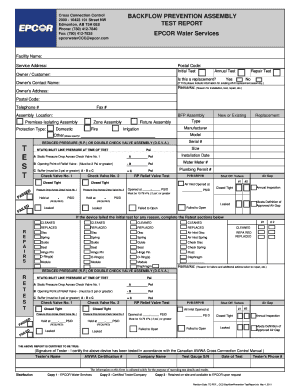
Epcor backflow test report
The document is a Backflow Prevention Assembly Test Report from EPCOR Water Services, detailing the testing and inspecti ...

Kisii university application form pdf
The document is an application form for postgraduate programmes at Kisii University, requiring applicants to provide per ...

Utilities Application
The document is an application form for utility services (electricity, water, sewer, and sanitation) provided by the Cit ...

Crowd Photo Release Form - SLR Lounge
The document is a Photographer Release form granting permission to the Riverside County Board of Supervisors to use an i ...

Withholding FAQs - Maryland Department of Human Services
The document WG-003 provides important legal information to employees regarding Earnings Withholding Orders (wage garnis ...
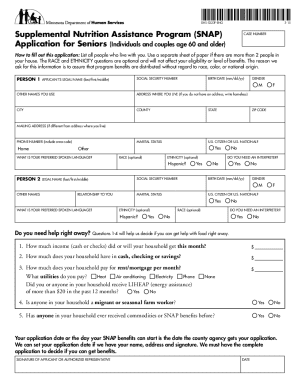
Printable snap application
The document is an application form for the Supplemental Nutrition Assistance Program (SNAP) specifically designed for s ...
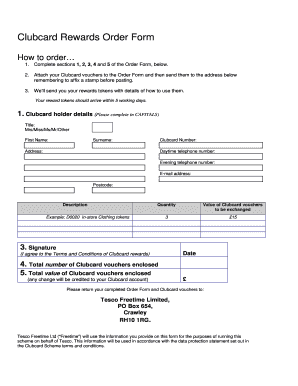
Tesco clubcard application form
The document is a Clubcard Rewards Order Form that provides instructions for Clubcard holders on how to order rewards by ...

Rv lot rental agreement pdf
The document is an RV Park Space Rental Agreement for the Original Miami Antique Show, detailing the rental terms, requi ...