




Here's how it works



How to use or fill out scrivener's affidavit pdf with DocHub

- Click ‘Get Form’ to open the scrivener's affidavit PDF in our editor.
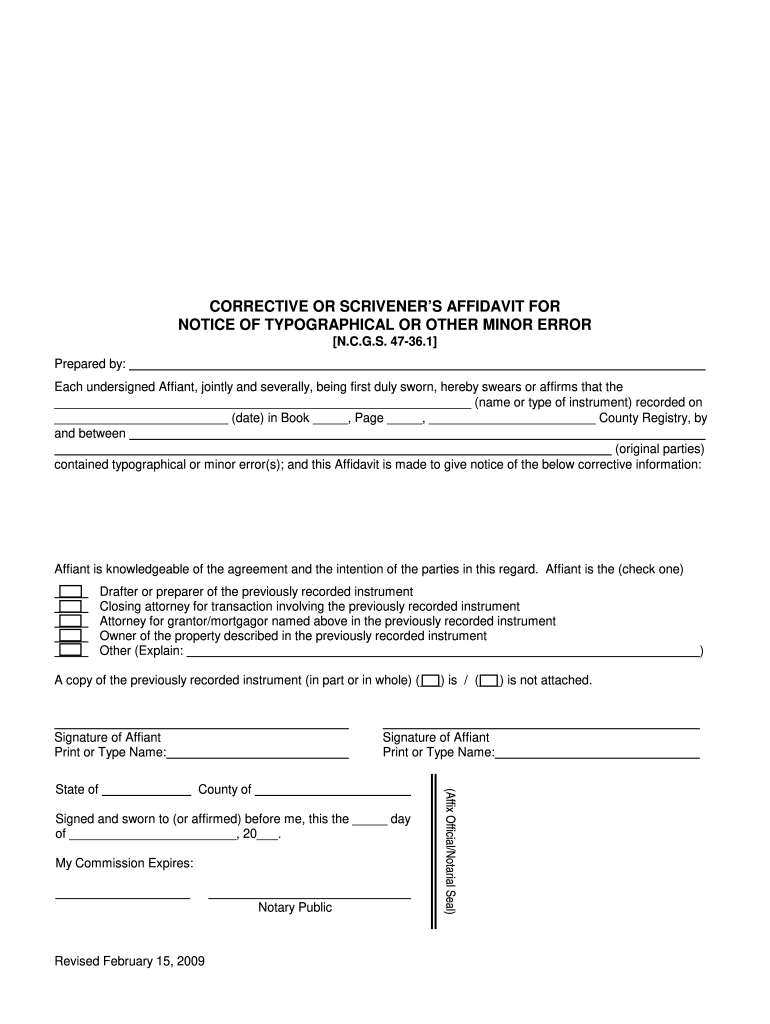
- Begin by entering the name or type of instrument in the designated field. This is crucial for identifying the document being corrected.
- Next, input the date when the original document was recorded. Ensure accuracy as this establishes the timeline of the correction.
- Fill in the Book and Page numbers where the original document can be found in the County Registry.
- Identify and enter the names of the original parties involved in the transaction.
- Select your role from the options provided (e.g., Drafter, Closing attorney, etc.) by checking one box that applies to you.
- Indicate whether a copy of the previously recorded instrument is attached by checking 'is' or 'is not'.
- Finally, sign and print your name as Affiant, and complete any notary requirements as specified at the bottom of the form.
Start using our platform today to easily fill out your scrivener's affidavit PDF for free!
It's free
See more scrivener's affidavit pdf versions
Got questions?
Can I type my electronic signature on my scrivener's error?
Yes, a typed name is accepted as a legitimate electronic signature when you create it on your document utilizing a compliant solution like DocHub. Simply import your scrivener's error to our editor, click Sign in the top tool pane → Create your signature → Type your name in the proper tab, and select how it will appear on your document.
How do you edit scrivener's affidavit form on Android?
Document editing with DocHub is equally convenient on desktop and mobile devices. You only need an internet browser to modify your scrivener's affidavit form on Android. Open our site and sign in to access the instruments you need. Add your file and introduce your intended modifications. After that, you can keep your form in your file storage or send it out immediately.
What is a scrivener's error in law?
How do I fix scrivener's error?
Can you prepare your own deed in North Carolina?
Security and compliance
At DocHub, your data security is our priority. We follow HIPAA, SOC2, GDPR, and other standards, so you can work on your documents with confidence.
Learn more


