




Here's how it works



How to use or fill out Tulare DHIA Scholarship Application - tuhs tjuhsd

- Click ‘Get Form’ to open it in the editor.
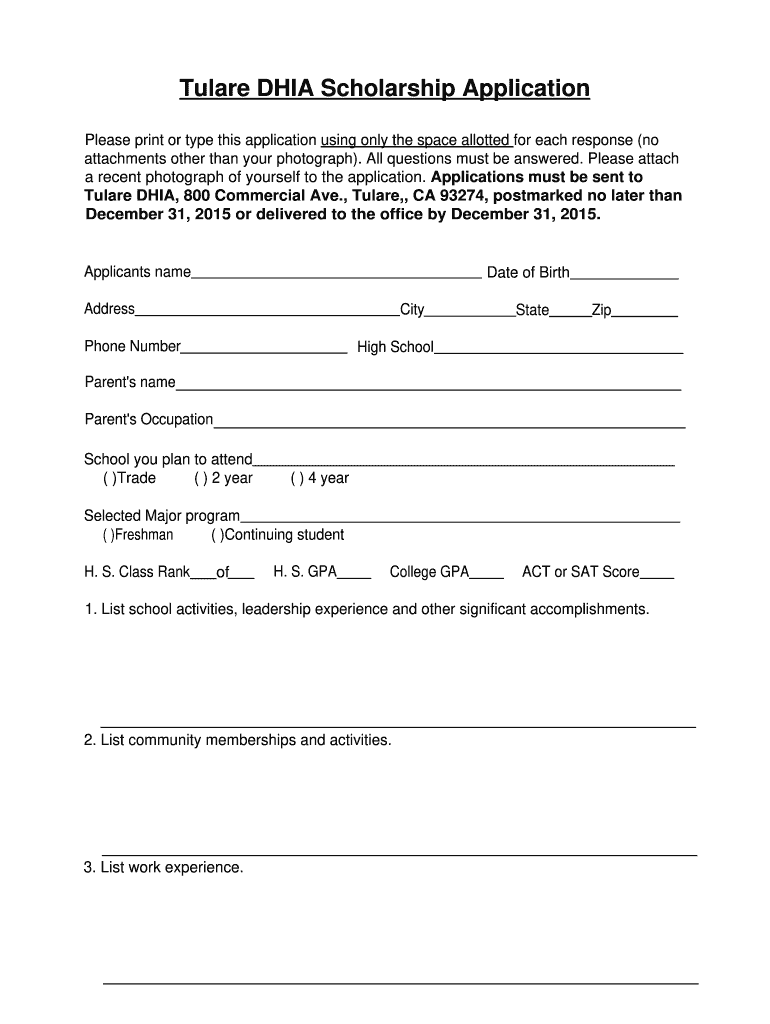
- Begin by entering your personal information in the designated fields, including your name, date of birth, address, and contact details. Ensure that you only use the space allotted for each response.
- Next, provide details about your educational background. Indicate the high school you attended, your class rank, GPA, and any colleges you plan to attend along with your selected major program.
- In the following sections, list your school activities, community memberships, work experience, and any honors or awards you've received. This is an opportunity to showcase your achievements.
- Answer the essay questions thoughtfully. Choose two from the provided options and elaborate on your experiences and aspirations related to education and career goals.
- Finally, ensure all information is accurate before signing and dating the application. Don’t forget to attach a recent photograph as required.
Start filling out your Tulare DHIA Scholarship Application today using our platform for free!
It's free
See more Tulare DHIA Scholarship bApplicationb - tuhs tjuhsd versions
Got questions?
Can I fill out and sign my Tulare DHIA Scholarship bApplicationb - tuhs tjuhsd online?
Sure, and it’s really straightforward! DocHub is a web-based PDF editor with advanced document management functions that allow you promptly modify your documents, complete empty fields and insert new ones for other people to fill out, and create electronic signatures in several ways. Upload your Tulare DHIA Scholarship bApplicationb - tuhs tjuhsd, provide information as required, and choose how you want to eSign your template - by typing your name, drawing your signature, uploading its picture, or using a QR code.
How do you get Tulare DHIA Scholarship bApplicationb - tuhs tjuhsd?
You can find the latest and most relevant version of the Tulare DHIA Scholarship bApplicationb - tuhs tjuhsd in our DocHub forms collection. Search it by categories or utilize the search field to get the exact template that suits your situation. You may open this form for editing after you find it.
Security and compliance
At DocHub, your data security is our priority. We follow HIPAA, SOC2, GDPR, and other standards, so you can work on your documents with confidence.
Learn more


