




Here's how it works



How to use or fill out Download Complete HVA Recertification Package Here - asdin

- Click ‘Get Form’ to open the Download Complete HVA Recertification Package in our editor.
- Begin with Part 1, reviewing the HVA Recertification Criteria. Ensure you meet all requirements before proceeding.
- Move to Part 2, where you will fill out the Application for HVA Recertification Form. Provide your identifying information, including your name, date of birth, and NPI number.
- Select your recertification category by checking either 'Broad Category' or 'Hemodialysis Catheter Placement Only'. If applicable, indicate any advanced procedures you wish to maintain or add.
- Complete the Practice Information section with details about your current practice and medical facility affiliations.
- Sign and date the application at the end of Part 2, ensuring all information is accurate and complete.
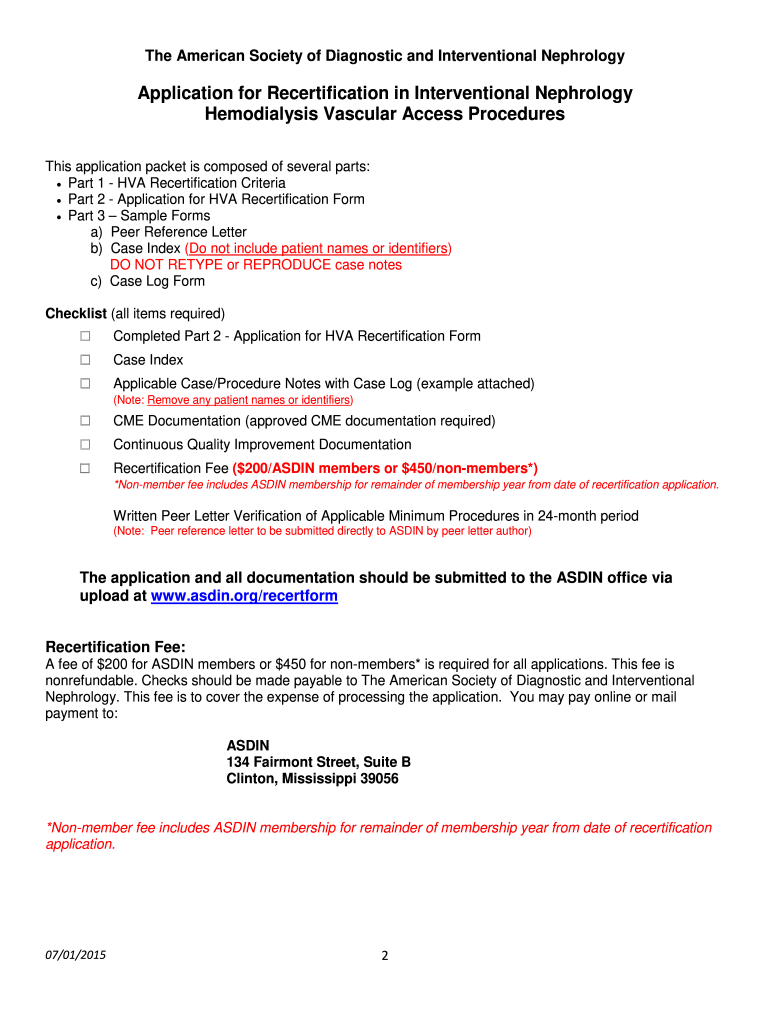
- Prepare additional documentation as outlined in the checklist, including case logs and peer reference letters, ensuring no patient identifiers are included.
Start using our platform today to streamline your application process for free!
It's free
See more Download Complete HVA Recertification Package Here - asdin versions
Got questions?
How can I send my Download Complete HVA Recertification Package Here - asdin from Google Drive for approval?
If you regularly work with documents stored in your Google Drive, DocHub is a superb solution for you to easily and quickly fill out, edit, and sign them. This editor integrates properly with Google services, so you can export your Download Complete HVA Recertification Package Here - asdin from your Google Drive to the editor without downloading and re-uploading it. Right-click on your document, choose Open With → DocHub PDF Sign and Edit. In our editor, add and assign Signature Fields for all parties involved, then click on the Menu button above → Send → decide on how you want to share your form.
How do you edit Download Complete HVA Recertification Package Here - asdin on Android?
Document editing with DocHub is equally convenient on desktop and mobile devices. You only need an internet browser to revise your Download Complete HVA Recertification Package Here - asdin on Android. Open our site and sign in to access the tools you need. Add your file and introduce your intended modifications. Next, you can keep your form in your file storage or send it out immediately.
Security and compliance
At DocHub, your data security is our priority. We follow HIPAA, SOC2, GDPR, and other standards, so you can work on your documents with confidence.
Learn more


