




Here's how it works

01. Edit your social security change of address forms online
Type text, add images, blackout confidential details, add comments, highlights and more.

02. Sign it in a few clicks
Draw your signature, type it, upload its image, or use your mobile device as a signature pad.

03. Share your form with others
Send social security change of address form pdf via email, link, or fax. You can also download it, export it or print it out.
How to use or fill out social security change of address form pdf with our platform

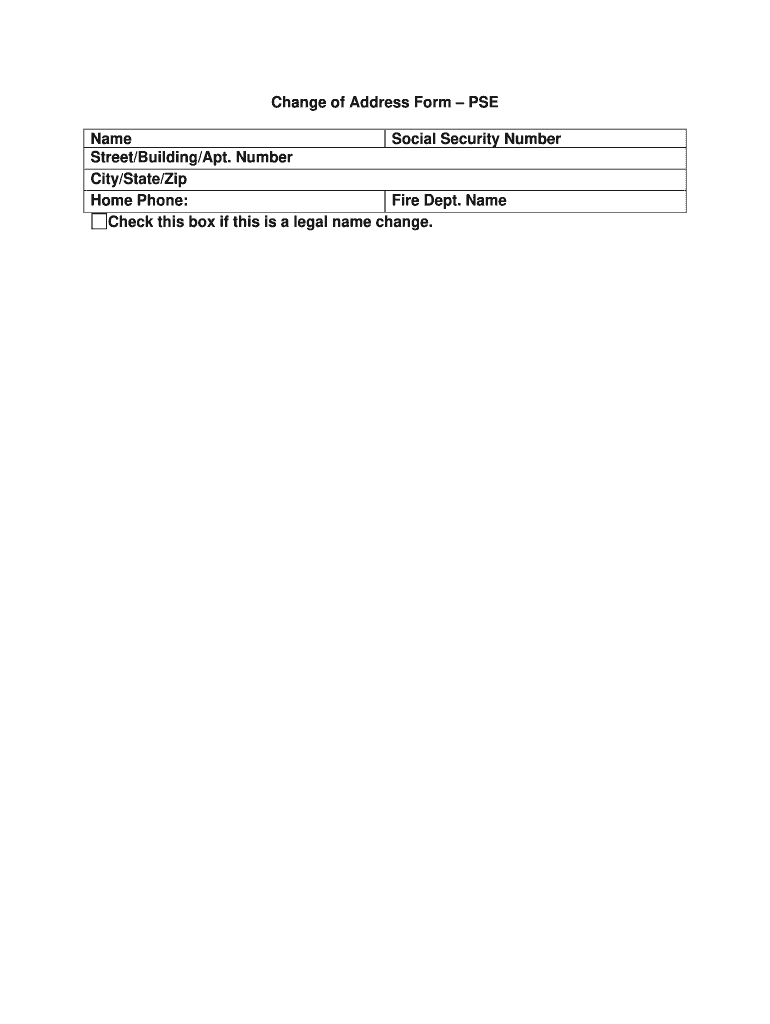
- Click ‘Get Form’ to open the social security change of address form in the editor.
- Begin by entering your full name in the designated field. Ensure that it matches your identification documents for accuracy.
- Next, input your Social Security Number in the appropriate section. This is crucial for processing your request.
- Fill in your new address details, including Street/Building/Apt. Number, City, State, and Zip Code. Double-check for any typos to avoid delays.
- Provide your home phone number in the specified field. This will help facilitate communication regarding your address change.
- If applicable, indicate any legal name changes by checking the corresponding box. This ensures that all records are updated correctly.
- Review all entered information for accuracy before submitting the form to ensure a smooth processing experience.
Start using our platform today to fill out your social security change of address form online for free!
Fill out social security change of address form pdf online
It's free
It's free
Security and compliance
At DocHub, your data security is our priority. We follow HIPAA, SOC2, GDPR, and other standards, so you can work on your documents with confidence.
Learn more


Related forms

Patient Demographics Patient Name
The document is a breast health questionnaire designed to collect important medical history and current health informati ...
Sme declaration form
The document is a Medical Declaration Form intended for insured individuals to provide accurate health information for t ...

Notice and Acknowledgment of Receipt for California State
The document PLD-C-001 is a legal form used in the Superior Court of California for filing a complaint related to contra ...
CIV-252 Joint Trial Readiness Conference Report Format
The document outlines the format and requirements for the Joint Trial Readiness Conference Report to be filed in the Sup ...

APPLICATION TO RENT A BMR UNIT - Sunnyvale - sunnyvale ca
The document is an application form for renting a Below Market Rate (BMR) unit in Sunnyvale, CA. It outlines the require ...

Erv insurance
The document is a Cancellation Expenses Claim Form for travel insurance, detailing the process for submitting a claim du ...

Iw premium party booking form - Inflatable World
The document is a party booking form for Inflatable World Toowoomba, detailing the requirements and options for hosting ...

EQUI-VEST annuity formsEquitable
The document outlines the procedures and requirements for processing direct transfers, contract exchanges, and rollovers ...