




Here's how it works

01. Edit your navmc 11740 online
Type text, add images, blackout confidential details, add comments, highlights and more.

02. Sign it in a few clicks
Draw your signature, type it, upload its image, or use your mobile device as a signature pad.

03. Share your form with others
Send it via email, link, or fax. You can also download it, export it or print it out.
How to use or fill out mops forms with our platform

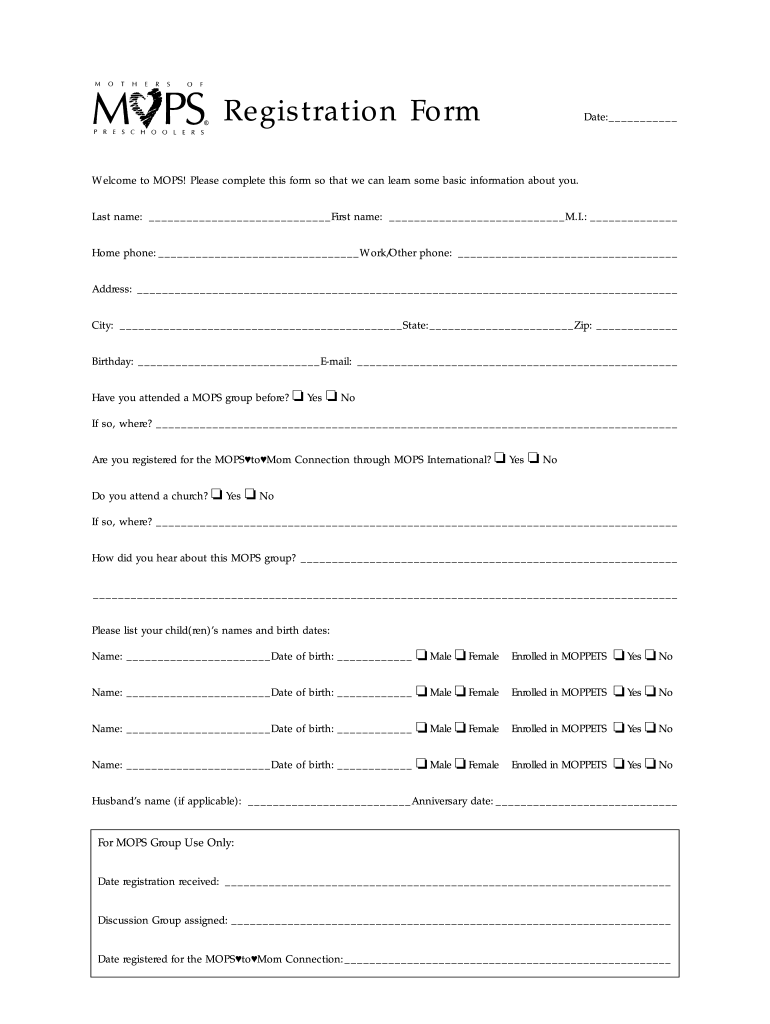
- Click ‘Get Form’ to open the MOPS registration form in the editor.
- Begin by entering the date at the top of the form. This helps us keep track of your registration.
- Fill in your last name, first name, and middle initial in the designated fields to ensure accurate identification.
- Provide your home and work/other phone numbers for easy communication.
- Complete your address details, including city, state, and zip code, to help us understand your location.
- Enter your birthday and email address for our records and future correspondence.
- Indicate whether you have attended a MOPS group before by checking 'Yes' or 'No'. If yes, please specify where.
- Answer if you are registered for the MOPS♥to♥Mom Connection and if you attend a church, providing details as necessary.
- List your child(ren)’s names and birth dates along with their gender and enrollment status in MOPPETS.
- If applicable, provide your husband’s name and anniversary date at the bottom of the form.
Start filling out your MOPS forms online for free today!
Fill out mops forms online
It's free
It's free
Security and compliance
At DocHub, your data security is our priority. We follow HIPAA, SOC2, GDPR, and other standards, so you can work on your documents with confidence.
Learn more


