




Here's how it works

01. Edit your form online
Type text, add images, blackout confidential details, add comments, highlights and more.

02. Sign it in a few clicks
Draw your signature, type it, upload its image, or use your mobile device as a signature pad.

03. Share your form with others
Send it via email, link, or fax. You can also download it, export it or print it out.
How to use or fill out aviation safety digest with our platform

- Click ‘Get Form’ to open the aviation safety digest in the editor.
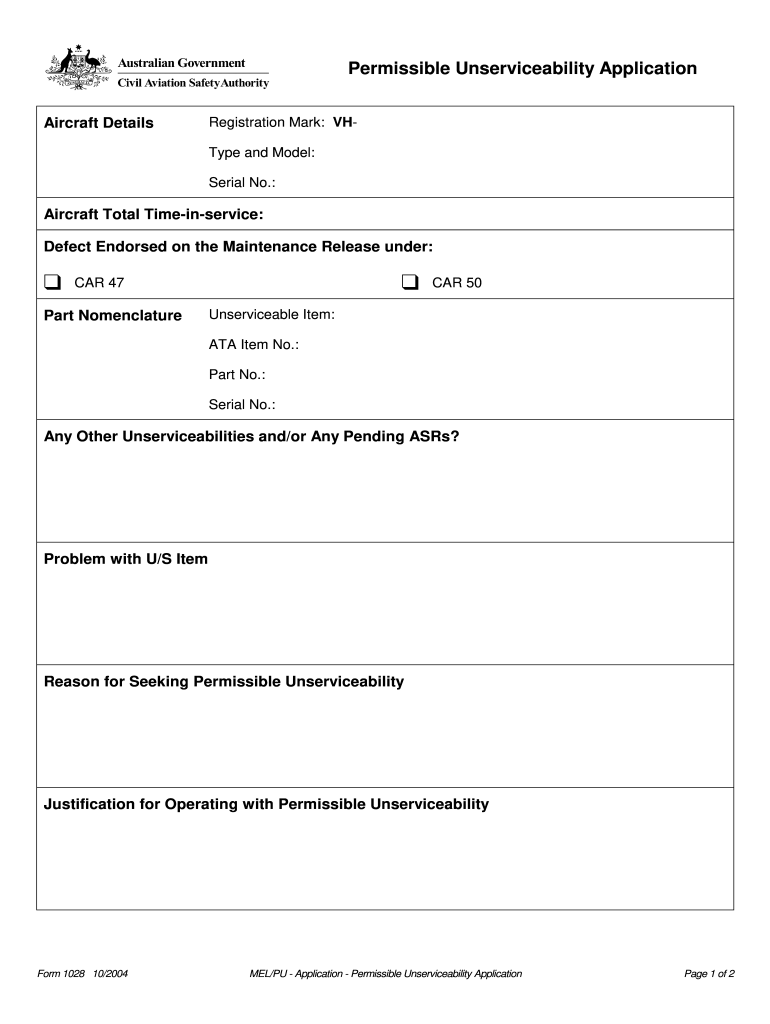
- Begin by entering the Aircraft Details, including Registration Mark, Type and Model, Serial No., and Total Time-in-service. Ensure all fields are accurately filled to avoid processing delays.
- In the Defect section, indicate whether the defect is endorsed under CAR 47 or CAR 50 by checking the appropriate box. Specify the Unserviceable Item along with its ATA Item No., Part No., and Serial No.
- Detail any other unserviceabilities or pending ASRs in the designated field. Clearly describe the problem with the unserviceable item and provide a reason for seeking permissible unserviceability.
- Fill out the Proposed Conditions for Operation section, indicating if deactivation/placarding is required and providing an anticipated date for rectification.
- If a Certification Statement is needed, ensure it is completed by an appropriately licensed aircraft maintenance engineer. Include their signature, name, AME Licence No./CAR 35 Authorisation, and date.
- Finally, sign as the applicant and provide your contact details before submitting. Review all entries for accuracy before sending your application to CASA.
Start using our platform today to streamline your aviation safety digest completion!
Fill out aviation safety digest online
It's free
It's free
See more aviation safety digest versions
We've got more versions of the aviation safety digest form. Select the right aviation safety digest version from the list and start editing it straight away!
Security and compliance
At DocHub, your data security is our priority. We follow HIPAA, SOC2, GDPR, and other standards, so you can work on your documents with confidence.
Learn more


