Ga pch incident 2026

Get Form
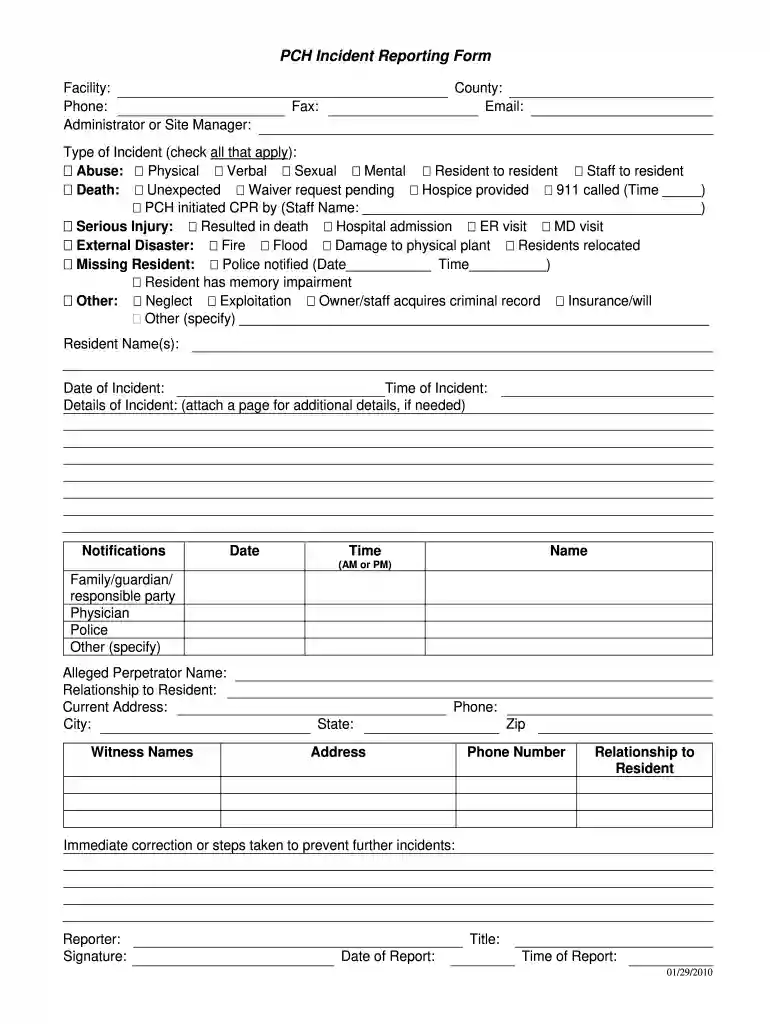
facility incident report form Preview on Page 1

Here's how it works

01. Edit your facility incident report form online
Type text, add images, blackout confidential details, add comments, highlights and more.

02. Sign it in a few clicks
Draw your signature, type it, upload its image, or use your mobile device as a signature pad.

03. Share your form with others
Send facility incident report via email, link, or fax. You can also download it, export it or print it out.

How to use or fill out ga pch incident with our platform

Form edit decoration
9.5
Ease of Setup
DocHub User Ratings on G2
9.0
Ease of Use
DocHub User Ratings on G2
  1. Click ‘Get Form’ to open the ga pch incident reporting form in the editor.
  2. Begin by filling in the facility name, phone number, and the administrator or site manager's details at the top of the form.
  3. Next, provide the county and email address. If applicable, include a fax number for further communication.
  4. In the 'Type of Incident' section, check all relevant boxes that apply to the incident being reported. Be thorough to ensure accurate documentation.
  5. Fill in resident names, date and time of the incident, and provide detailed descriptions in the 'Details of Incident' section. If more space is needed, attach an additional page.
  6. Complete the notifications section by entering dates and times for family/guardian notifications, physician contact, police involvement, and any other relevant parties.
  7. Document information about any alleged perpetrators and witnesses including their names, addresses, and relationships to residents.
  8. Finally, sign off as the reporter by providing your title and date of report before saving or submitting your completed form.

Start using our platform today to streamline your document editing and reporting process for free!

See more ga pch incident versions

We've got more versions of the ga pch incident form. Select the right ga pch incident version from the list and start editing it straight away!
Versions Form popularity Fillable & printable
2010 4.8 Satisfied (161 Votes)
be ready to get more

Complete this form in 5 minutes or less

Get form

Got questions?

We have answers to the most popular questions from our customers. If you can't find an answer to your question, please contact us.
Contact us
Complaints may be submitted via written letter to 300 Patrol Road, Forysth, Ga 31029, by email at ombudsman@gdc.ga.gov, or by calling 478-992-5358.
You have the option of filing a complaint on-line against a facility or program licensed through the Healthcare Facility Regulation Division if you believe you received poor quality care from the licensed facility or program.
Quick Answer Online Complaint Form: File your complaint through DCHs convenient online system. Submit a Complaint. Telephone: For immediate reporting or questions. Call the HFRD Complaint Hotline at 1-800-878-6442. Fax: To send your complaint via fax. Fax to 404-657-8935.
Facility Incident Report Form Call Us. Primary: (404) 656-4507. Visit. 2 Martin Luther King Jr. Hours.