




01. Edit your az game and fish portal online
Type text, add images, blackout confidential details, add comments, highlights and more.

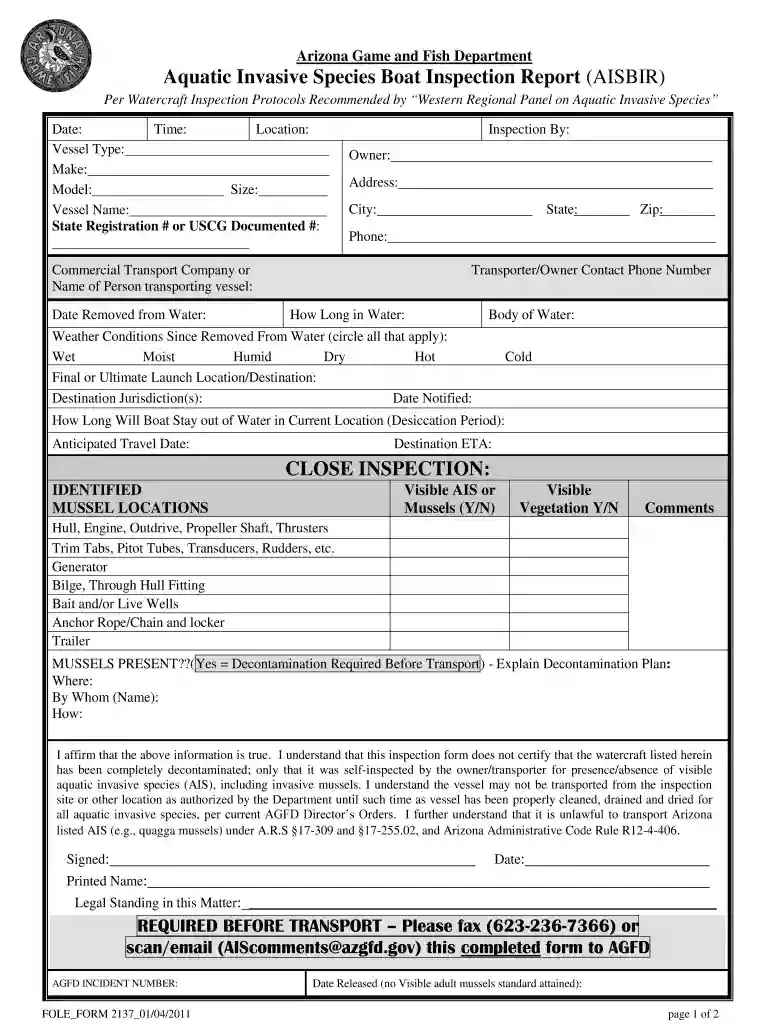
Type text, add images, blackout confidential details, add comments, highlights and more.

Draw your signature, type it, upload its image, or use your mobile device as a signature pad.

Send arizona game and fish portal via email, link, or fax. You can also download it, export it or print it out.

Start using our platform today to streamline your azgfd paperwork process for free!
We've got more versions of the az game and fish portal form. Select the right az game and fish portal version from the list and start editing it straight away!
| Versions | Form popularity | Fillable & printable |
|---|---|---|
| 2011 | 4.8 Satisfied (255 Votes) |
Yes, and it’s really easy! DocHub is a web-based PDF editor with advanced document management capabilities that allow you rapidly edit your documents, fill out blank fields and insert new ones for other people to fill out, and create electronic signatures in several ways. Import your azgfd paperwork, give information as requested, and choose how you want to eSign your document - by typing your name, drawing your signature, uploading its picture, or utilizing a QR code.
If you are looking for a state-specific azgfd paperwork sample, you can find it in our DocHub Forms & Templates catalog. Use the search field, enter your form’s name, and search through the results for your state. You may also filter out irrelevant results while exploring our catalog by categories.
At DocHub, your data security is our priority. We follow HIPAA, SOC2, GDPR, and other standards, so you can work on your documents with confidence.
Check their website for forms and information on watercraft registration; boating rules and regulations, boating education and more.Read more
b. The Arizona Game and Fish Department-certified Instructor shall submit the course paperwork to the Department within 10 business days of course completion.Read more


