




Here's how it works



How to use or fill out request 14 with our platform

- Click ‘Get Form’ to open it in the editor.
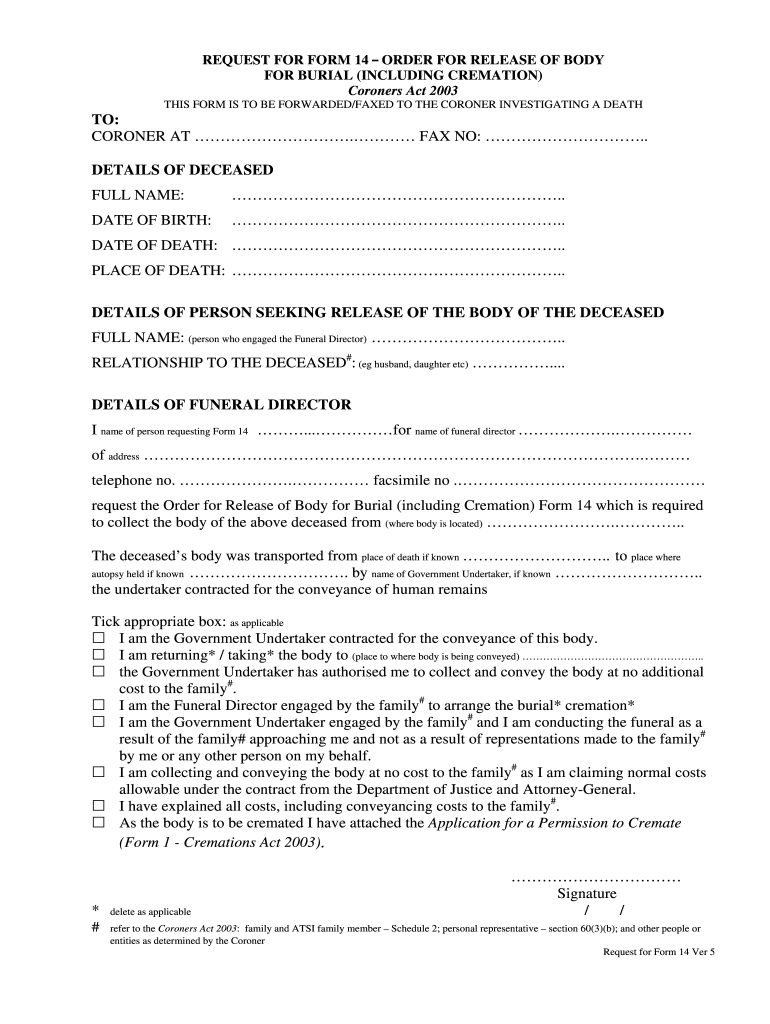
- Begin by entering the details of the deceased. Fill in the full name, date of birth, date of death, and place of death in the designated fields.
- Next, provide your information as the person seeking the release. Include your full name and relationship to the deceased.
- In the section for funeral director details, input your name and that of the funeral director along with their address and contact numbers.
- Specify where the body is located and any relevant transport details. If applicable, indicate if an autopsy was held.
- Tick the appropriate boxes regarding your role in relation to the body’s conveyance and any costs involved.
- Finally, sign and date the form to complete your request.
Start using our platform today for free to streamline your document editing and signing process!
It's free
See more request 14 versions
| Versions | Form popularity | Fillable & printable |
|---|---|---|
| 2003 | 4.8 Satisfied (285 Votes) |
Got questions?
Can I use DocHub to create legal electronic signatures on my request 14 template?
Yes, you can use DocHub for signing any business and private documentation, including your request 14 template. All eSignatures you create with our service are legally binding and court-admissible, as DocHub complies with standards required by ESIGN and UETA. Save your completed form with a detailed Audit Trail if needed.
How do you edit request 14 online online?
With DocHub, there are several convenient ways to edit your request 14 online online. You can drag and drop the form and edit it straight at the DocHub site or use our browser extension to fill out your form immediately. On top of that, you can edit your PDF on your phone, as DocHub works with all the accessible mobile platforms.
What is request 25 arceus?
How do I complete Mr. Mime request?
How do I approach Mister Mime?
Security and compliance
At DocHub, your data security is our priority. We follow HIPAA, SOC2, GDPR, and other standards, so you can work on your documents with confidence.
Learn more


