




Here's how it works



How to use or fill out dtf 619 2009 form dtf 619 with our platform

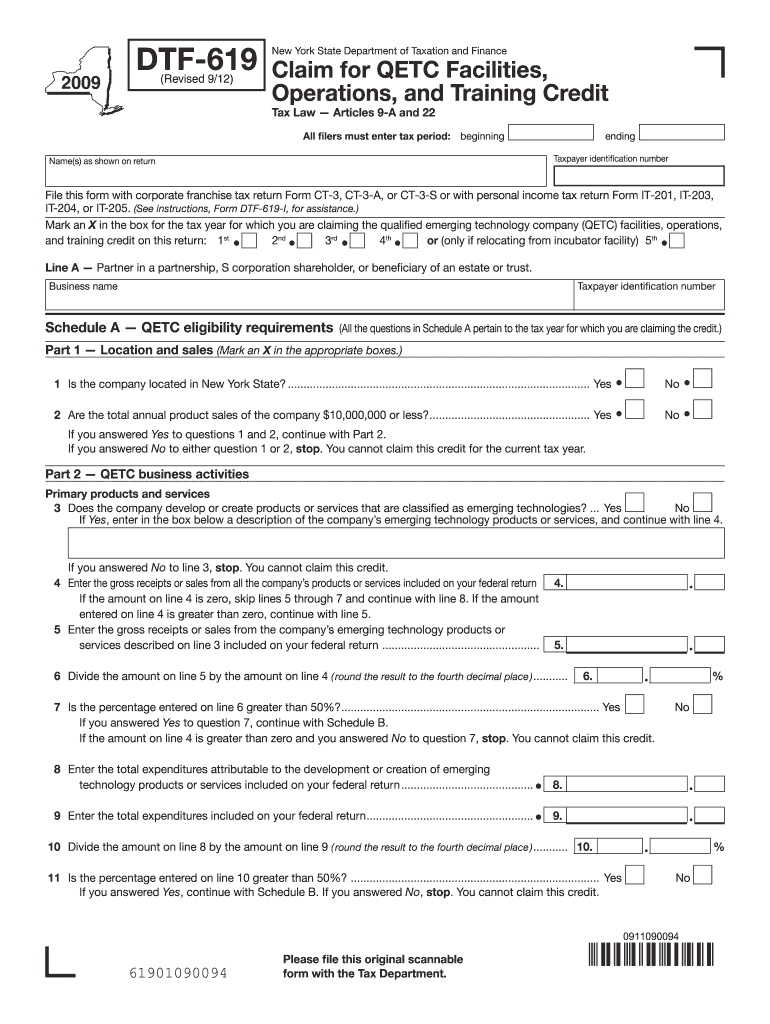
- Click ‘Get Form’ to open the dtf 619 2009 form in the editor.
- Begin by entering the tax period, including the beginning and ending dates, along with your taxpayer identification number and name as shown on your return.
- Mark an X in the box corresponding to the tax year for which you are claiming the QETC facilities, operations, and training credit.
- Complete Schedule A by answering eligibility questions regarding your company’s location in New York State and annual product sales. If eligible, proceed to Part 2.
- In Part 2 of Schedule A, provide details about your emerging technology products or services. Enter gross receipts from all products and calculate percentages as instructed.
- Continue filling out subsequent schedules (B, C, D) as applicable based on your business activities and research expenditures. Ensure all calculations are accurate.
Start using our platform today to fill out your dtf 619 form easily and for free!
It's free
See more dtf 619 2009 form dtf 619 versions
Got questions?
How can I create an electronic signature in my dtf 619 2009 form dtf 619 on Android?
Signing paperwork on a mobile device is quick, easy, and doesn’t require software installation when you have an account with DocHub. Log in from any browser, fill in your empty fields with your information, and click on Sign → Create your signature. You can draw your eSignature the same way you usually do on paper, add its picture to your dtf 619 2009 form dtf 619, or type in your name and stylize its look. No matter what option you choose, your document will be valid.
How do you edit dtf 619 2009 form dtf 619 on Android?
Document editing with DocHub is equally convenient on desktop and mobile devices. You just need an internet browser to revise your dtf 619 2009 form dtf 619 on Android. Open our site and sign in to access the instruments you require. Add your document and introduce your intended modifications. After that, you can keep your form in your document storage or send it out instantly.
Security and compliance
At DocHub, your data security is our priority. We follow HIPAA, SOC2, GDPR, and other standards, so you can work on your documents with confidence.
Learn more


