




Here's how it works



How to use or fill out Absolute Assignment to Trust With Waivers and Consents - cs ny

- Click ‘Get Form’ to open it in the editor.
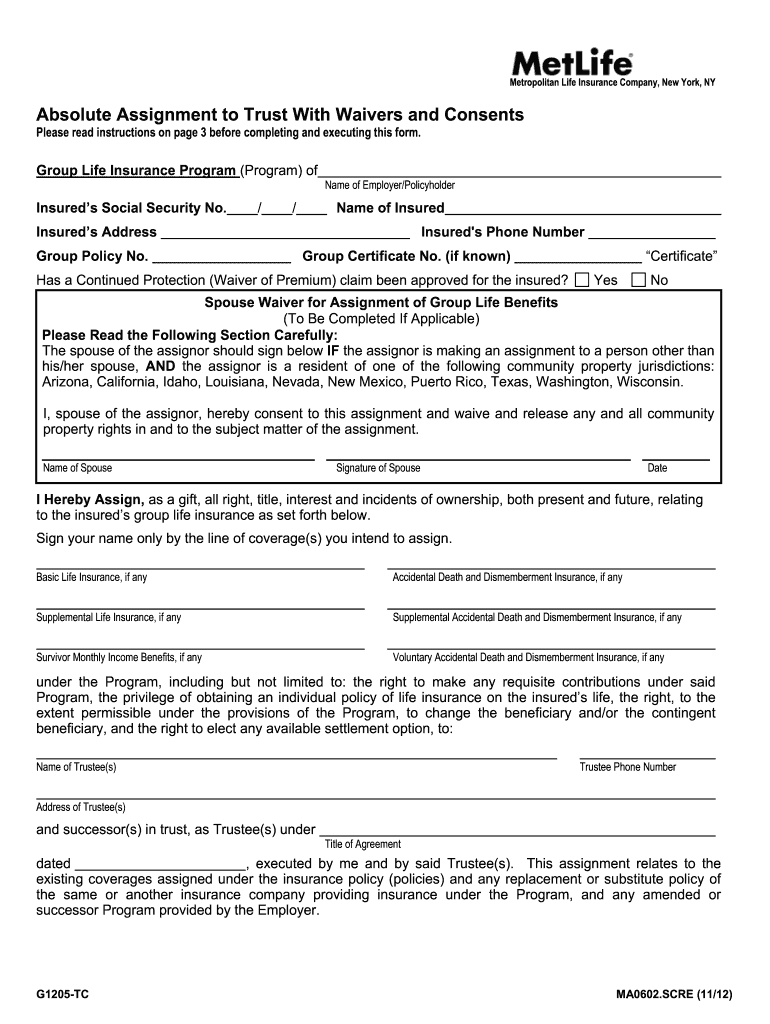
- Begin by entering the insured's details, including their name, Social Security number, and address. Ensure accuracy as this information is crucial for identification.
- Indicate whether a Continued Protection claim has been approved by selecting 'Yes' or 'No'. This section is important for understanding the insured's current status.
- If applicable, have the spouse of the assignor complete the Spouse Waiver section. They must sign and date to consent to the assignment if required by community property laws.
- In the assignment section, clearly sign your name next to each type of insurance coverage you intend to assign. This includes Basic Life Insurance and any supplemental coverages.
- Fill in the trustee's details, including their name, phone number, and address. This ensures that all parties are correctly identified in the trust agreement.
- Complete the Designation of Trust as Beneficiary section by revoking any previous beneficiary designations and confirming the new trustee designation.
- Finally, ensure that all necessary signatures are obtained from both the Group Policyholder and MetLife representatives to validate the assignment.
Start using our platform today for free to streamline your document editing and signing process!
It's free
See more Absolute Assignment to Trust With Waivers and Consents - cs ny versions
| Versions | Form popularity | Fillable & printable |
|---|---|---|
| 2012 | 4.8 Satisfied (160 Votes) |
Got questions?
What is the best way to send my Absolute Assignment to Trust With Waivers and Consents - cs ny for eSignature?
Upload your Absolute Assignment to Trust With Waivers and Consents - cs ny to DocHub (after you’ve set up an account for this). If you need to fill out fields in it, use appropriate tools from the top pane. For instance, drop Signature Fields, assign each to specific party, and click on Sign → Request signatures from others. Change your message for your recipients and click Send Request. You can also send your form by fax or as a Signing link instead of using email (you’ll locate these options by navigating to the Menu → Send)
How do you edit Absolute Assignment to Trust With Waivers and Consents - cs ny on iOS?
You can easily edit and complete your Absolute Assignment to Trust With Waivers and Consents - cs ny on any iOS gadget. Open an internet browser of your choice, go to the DocHub website, authorize or create a new account, add your file for editing, and make your required alterations. Our service is mobile-friendly, so using its functions on your phone will be a no-brainer, even on the first try.
Is an absolute assignment permanent?
Is an absolute assignment irrevocable?
What is absolute assignment?
Security and compliance
At DocHub, your data security is our priority. We follow HIPAA, SOC2, GDPR, and other standards, so you can work on your documents with confidence.
Learn more


