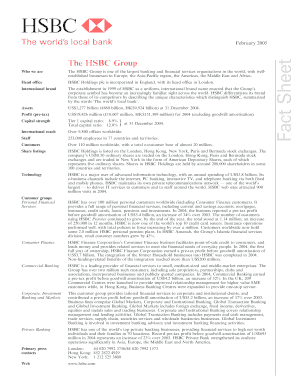
Fws 3 2444-2026

Get Form
fws 3 2444 Preview on Page 1

Here's how it works

01. Edit your form online
Type text, add images, blackout confidential details, add comments, highlights and more.
02. Sign it in a few clicks
Draw your signature, type it, upload its image, or use your mobile device as a signature pad.
03. Share your form with others
Send it via email, link, or fax. You can also download it, export it or print it out.

How to use or fill out fws 3 2444 with our platform

Form edit decoration
9.5
Ease of Setup
DocHub User Ratings on G2
9.0
Ease of Use
DocHub User Ratings on G2
  1. Click ‘Get Form’ to open the fws 3 2444 in the editor.
  2. Begin by selecting the action requested: Establish User Account, Change User Access, or Termination. This sets the context for your request.
  3. Indicate the type of employee by selecting Permanent Employee, Temporary Employee, or Contractor. This helps clarify your status.
  4. Choose the access duration: Permanent, Temporary Access, or Revalidation. This defines how long you need access.
  5. Fill in your personal details including Name, Last Four digits of SSN, Position Title, Grade, and Work Phone Number. Ensure accuracy for processing.
  6. Specify your Department/Bureau/Office Organization Code and Work E-mail Address to facilitate communication.
  7. Check all systems you are requesting access to under ACCESS REQUESTED. Be thorough to ensure all necessary permissions are granted.
  8. Select the authority requested based on your role and responsibilities within the organization.
  9. Complete any additional fields such as justification for access if required. Provide a clear narrative explaining why access is needed.
  10. Finally, sign and date the form along with your supervisor/manager's signature before submitting it for approval.

Start using our platform today to streamline your document editing and form completion process for free!

See more fws 3 2444 versions

We've got more versions of the fws 3 2444 form. Select the right fws 3 2444 version from the list and start editing it straight away!
Versions Form popularity Fillable & printable
2013 4.8 Satisfied (161 Votes)
be ready to get more

Complete this form in 5 minutes or less

Get form

Got questions?

We have answers to the most popular questions from our customers. If you can't find an answer to your question, please contact us.
Contact us

A lot of software applications are available out there for document editing and signing. DocHub is one of the most popular online solutions that comply with all security and compliance requirements and ensures your electronically signed paperwork is legally enforceable. All you need to give it a try is to register an account, upload your fws 3 2444, fill out the required information, and click Sign. Generate your eSignature by typing, drawing it, uploading its image to your document, or scanning a unique QR code.

Document editing with DocHub is equally convenient on desktop and mobile devices. You only need an internet browser to revise your fws 3 2444 on Android. Open our site and sign in to access the instruments you require. Add your file and introduce your intended changes. Next, you can keep your form in your file storage or send it out right away.