Volunteer confirmation letter 2026

Get Form
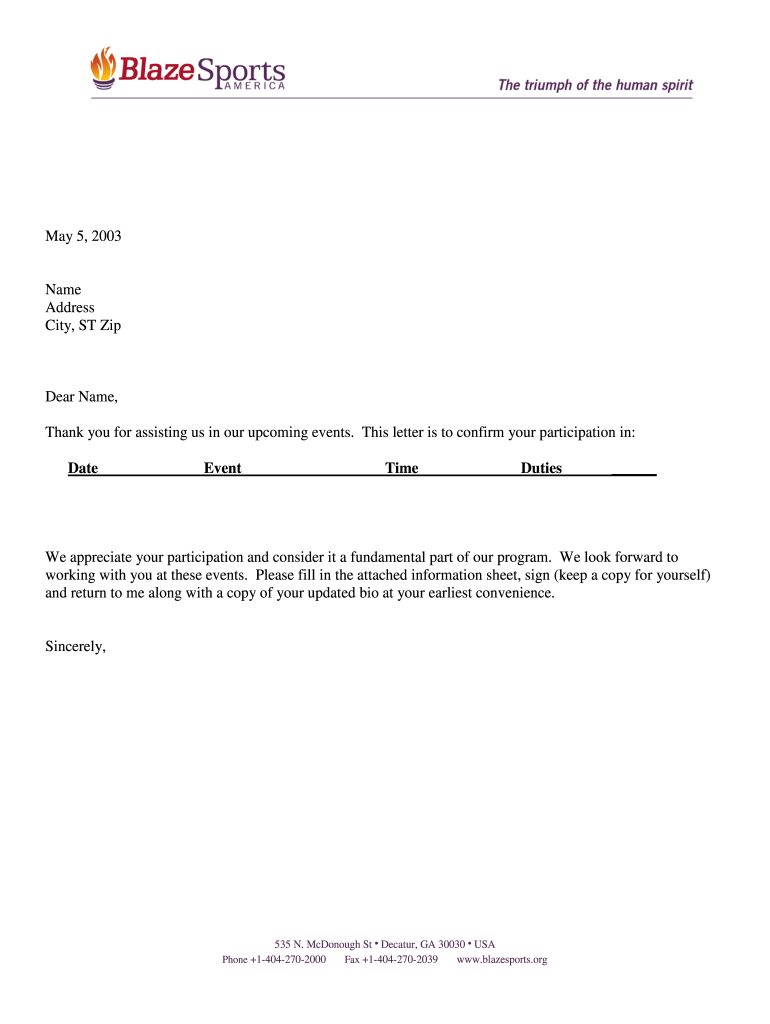
volunteer hours letter Preview on Page 1

Here's how it works

01. Edit your volunteer hours letter online
Type text, add images, blackout confidential details, add comments, highlights and more.
02. Sign it in a few clicks
Draw your signature, type it, upload its image, or use your mobile device as a signature pad.
03. Share your form with others
Send proof of volunteer work letter via email, link, or fax. You can also download it, export it or print it out.

How to use or fill out volunteer confirmation letter with our platform

Form edit decoration
9.5
Ease of Setup
DocHub User Ratings on G2
9.0
Ease of Use
DocHub User Ratings on G2
  1. Click ‘Get Form’ to open the volunteer confirmation letter in the editor.
  2. Begin by entering your name and address in the designated fields at the top of the letter. This personalizes the document and ensures accurate communication.
  3. Next, fill in the date of your participation, followed by the event name and time. These details are crucial for clarity regarding your commitment.
  4. In the duties section, specify your responsibilities during the event. This helps set clear expectations for both you and the organizers.
  5. Finally, review all entered information for accuracy. Once confirmed, sign the document electronically using our platform’s signature feature. Don’t forget to keep a copy for your records!

Start using our platform today to effortlessly complete your volunteer confirmation letter online for free!

See more volunteer confirmation letter versions

We've got more versions of the volunteer confirmation letter form. Select the right volunteer confirmation letter version from the list and start editing it straight away!
Versions Form popularity Fillable & printable
2003 4.8 Satisfied (207 Votes)
be ready to get more

Complete this form in 5 minutes or less

Get form

Got questions?

We have answers to the most popular questions from our customers. If you can't find an answer to your question, please contact us.
Contact us
Writing Effective Confirmation Letters Be Clear and Concise: Clearly and concisely outline the details and terms being confirmed. Use Formal Language: Use formal and professional language in the letter. Include Relevant Information: Include all relevant information, such as dates, times, locations, and terms.
NOTE: The letter must include the terms of the volunteer agreement (i.e., begin date, end date (if any), time commitment, responsibilities), whom to contact with questions, the insurance paragraph and the ID card paragraph. The Volunteer Fact Sheet must be attached to the letter.
Just as organizations have purpose statements, individual volunteers often carry a personal mission. A sample statement might be: I volunteer because I believe every child deserves a safe and inspiring place to learn. I want to use my skills to make a difference in their lives.
It is a great pleasure to inform you that [Name of the Person] has completed [His/Her] work as a volunteer with [Name of the Organization/entity]. This is the confirmation letter of [His/Her] volunteer work. [Name of the Person] has worked from [Date] to [Date] with immense dedication.

Security and compliance

At DocHub, your data security is our priority. We follow HIPAA, SOC2, GDPR, and other standards, so you can work on your documents with confidence.

Learn more
ccpa2
pci-dss
gdpr-compliance
hipaa
soc-compliance
be ready to get more

Complete this form in 5 minutes or less

Get form