Addendum contract contractul 2026

Get Form
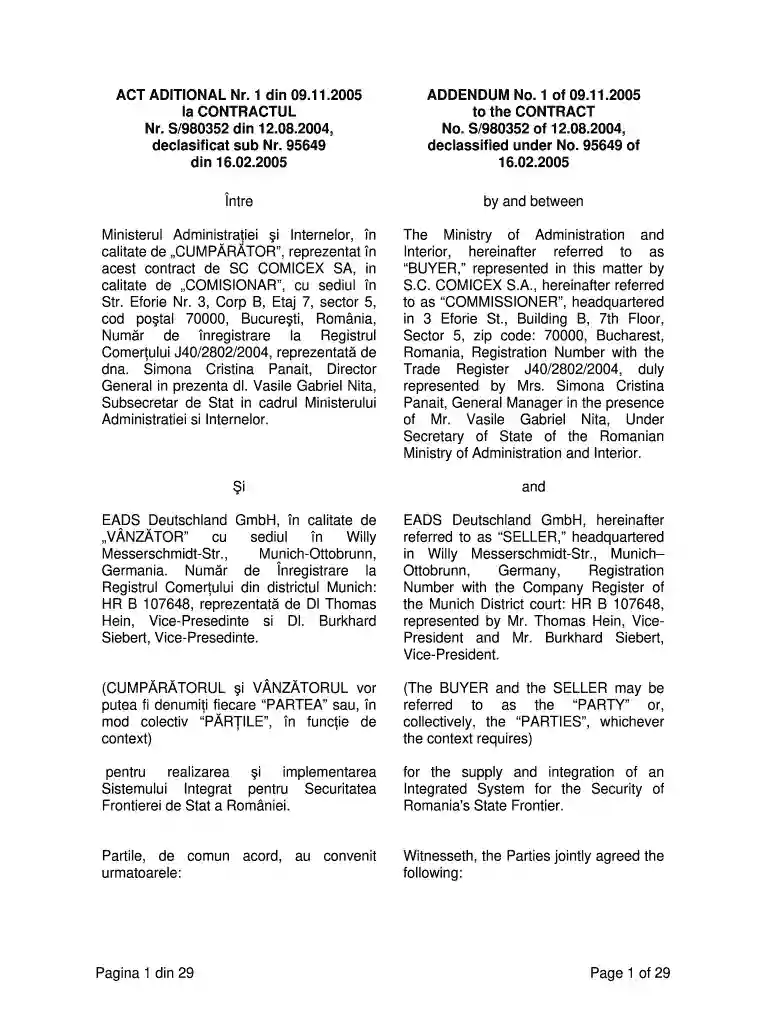
addendum contract contractul Preview on Page 1

Here's how it works

01. Edit your form online
Type text, add images, blackout confidential details, add comments, highlights and more.

02. Sign it in a few clicks
Draw your signature, type it, upload its image, or use your mobile device as a signature pad.

03. Share your form with others
Send it via email, link, or fax. You can also download it, export it or print it out.

How to use or fill out addendum contract contractul with our platform

Form edit decoration
9.5
Ease of Setup
DocHub User Ratings on G2
9.0
Ease of Use
DocHub User Ratings on G2
  1. Click ‘Get Form’ to open the addendum contract in the editor.
  2. Begin by filling in the 'BUYER' and 'SELLER' sections. Ensure that all names, titles, and addresses are accurate as per the original contract.
  3. Proceed to the 'SUBJECT MATTER' section. Here, you will need to include any new paragraphs or modifications agreed upon by both parties.
  4. In the 'DEFINITIONS' section, update any terms that have changed since the original contract. This may include definitions of key components like 'Integrated Sub-System' or 'Services'.
  5. Review each article carefully for modifications. Make sure to incorporate any changes regarding obligations, penalties, and warranty periods as specified in the addendum.
  6. Once all fields are filled out correctly, utilize our platform's signing feature to ensure both parties can sign electronically.

Start editing your addendum contract for free today!

See more addendum contract contractul versions

We've got more versions of the addendum contract contractul form. Select the right addendum contract contractul version from the list and start editing it straight away!
Versions Form popularity Fillable & printable
2005 4.8 Satisfied (121 Votes)
2004 4.8 Satisfied (140 Votes)
be ready to get more

Complete this form in 5 minutes or less

Get form

Got questions?

We have answers to the most popular questions from our customers. If you can't find an answer to your question, please contact us.
Contact us

Microsoft Word doesn’t have signing tools to create legitimate electronic signatures and enforceable documents. Luckily, DocHub is an online eSignature-compliant editor that supports different document formats, such as .doc files. Log in to your account and add the Word edition of your addendum contract contractul from your device and cloud, or URL - our editor will automatically transform it into an editable PDF. Make all essential changes in your document and click Sign to create your own legally-binding eSignature. You will find four signing options from which to choose.

As a comprehensive document modifying platform, DocHub is available on mobile phones. Open DocHub in your choice of mobile internet browser and use our smart mobile-friendly toolset to complete your addendum contract contractul.

Writing a Contract Addendum Name the parties to the contract. Indicate the addendum's effective date, using the same date format used in the original contract. Indicate the elements of the original contract that the addendum intends to change. Concisely but clearly describe the desired changes.
An addendum is used to clarify and add things that were not initially part of the original contract or agreement. Think of addendums as additions to the original agreement (for example, adding a deadline where none existed in the original version).
1 : a thing added : addition. 2 : a supplement to a book \u2014often used in plural but singular in construction.

Security and compliance

At DocHub, your data security is our priority. We follow HIPAA, SOC2, GDPR, and other standards, so you can work on your documents with confidence.

Learn more
ccpa2
pci-dss
gdpr-compliance
hipaa
soc-compliance
be ready to get more

Complete this form in 5 minutes or less

Get form

People also ask

An addendum can be created by persons other than the ones who signed the original contract. Amendments are considered part of a contract until it is next negotiated, while an addendum is a legal and binding part of the contract.
Consider amendments as changes to the original agreement (for example, extending a previously agreed-upon deadline). An addendum to a contract is a document attached to the original contract that outlines the additions that will be included in the contract.
An addendum is an addition to a finished document, such as a contract. The most common addendum is an attachment or exhibit at the end of such a document. For example, a contract to manufacture widgets may have an addendum listing the specifications for said widgets.
Addendums add something new to the contract instead of only altering the original document. The addendum becomes binding when the parties named in the contract agree to all the terms.
An addendum is an addition to a finished document, such as a contract. The most common addendum is an attachment or exhibit at the end of such a document. For example, a contract to manufacture widgets may have an addendum listing the specifications for said widgets.

Related links