




Here's how it works



How to use or fill out jamaica bulldogs with our platform

- Click ‘Get Form’ to open the jamaica bulldogs registration form in the editor.
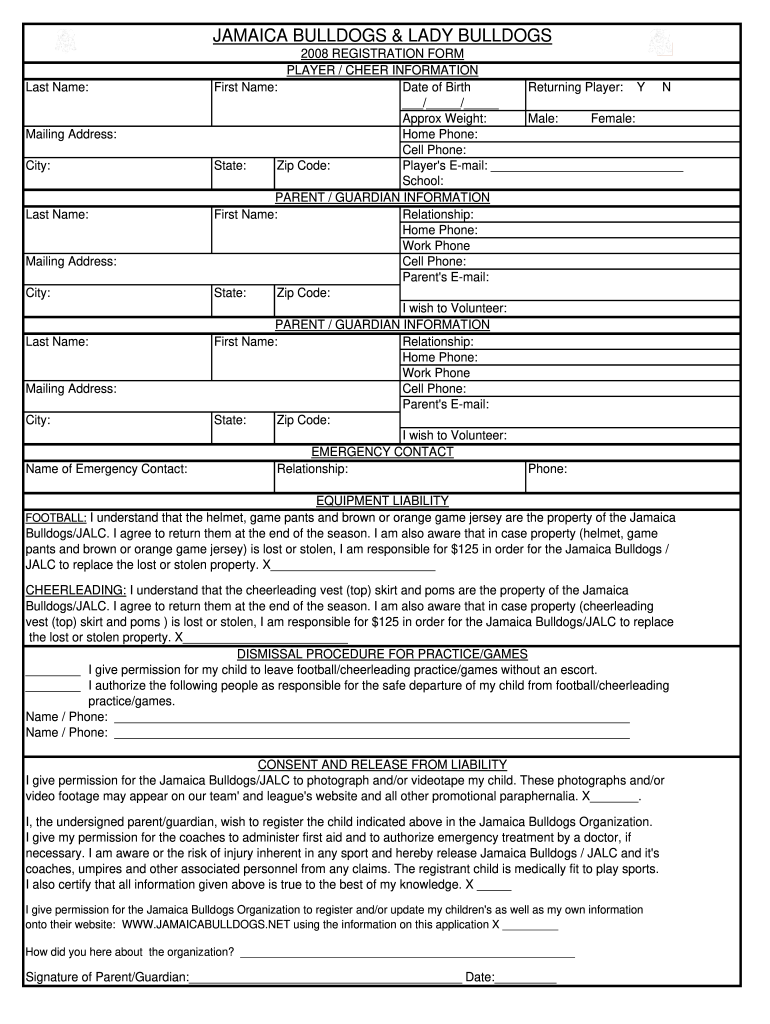
- Begin by filling out the player and cheer information section. Enter the first name, date of birth, and indicate if they are a returning player. Provide approximate weight and select gender.
- Complete the parent/guardian information fields. Include names, relationships, phone numbers, and email addresses for both guardians.
- In the emergency contact section, provide a name and phone number of someone who can be reached in case of an emergency.
- Review the equipment liability section carefully. Acknowledge your understanding by signing where indicated.
- Fill out the dismissal procedure for practice/games, specifying who is authorized to pick up your child.
- Finally, complete the consent and release from liability section by signing and dating it at the bottom of the form.
Start using our platform today to streamline your jamaica bulldogs registration process for free!
It's free
See more jamaica bulldogs versions
| Versions | Form popularity | Fillable & printable |
|---|---|---|
| 2008 | 4.8 Satisfied (255 Votes) |
Got questions?
How do I sign my jamaica bulldogs free of charge?
Most eSignature solutions require users to have a paid subscription. With DocHub, there are two ways for you to create an electronic signature to your jamaica bulldogs without being charged:
- You can do it during a 7-day trial period;
- You can sign up for a free plan.
The second option, however, has limitations on the number of signatures, sign requests, emails, and documents for editing available per month. You can check for full details here.
How to fill out and sign jamaica bulldogs online?
You can quickly complete, edit, and even eSign your jamaica bulldogs using DocHub. Create a new profile and start your free trial. After that, you can upload the document with the form and easily make all the necessary edits. No need to print on paper or use a third-party application to sign it, as you can place your electronic signature on your document quicker through DocHub.
Security and compliance
At DocHub, your data security is our priority. We follow HIPAA, SOC2, GDPR, and other standards, so you can work on your documents with confidence.
Learn more


