




Here's how it works



How to use or fill out medical exam report for mass hoisting license fitness determination with our platform

- Click ‘Get Form’ to open the medical exam report in the editor.
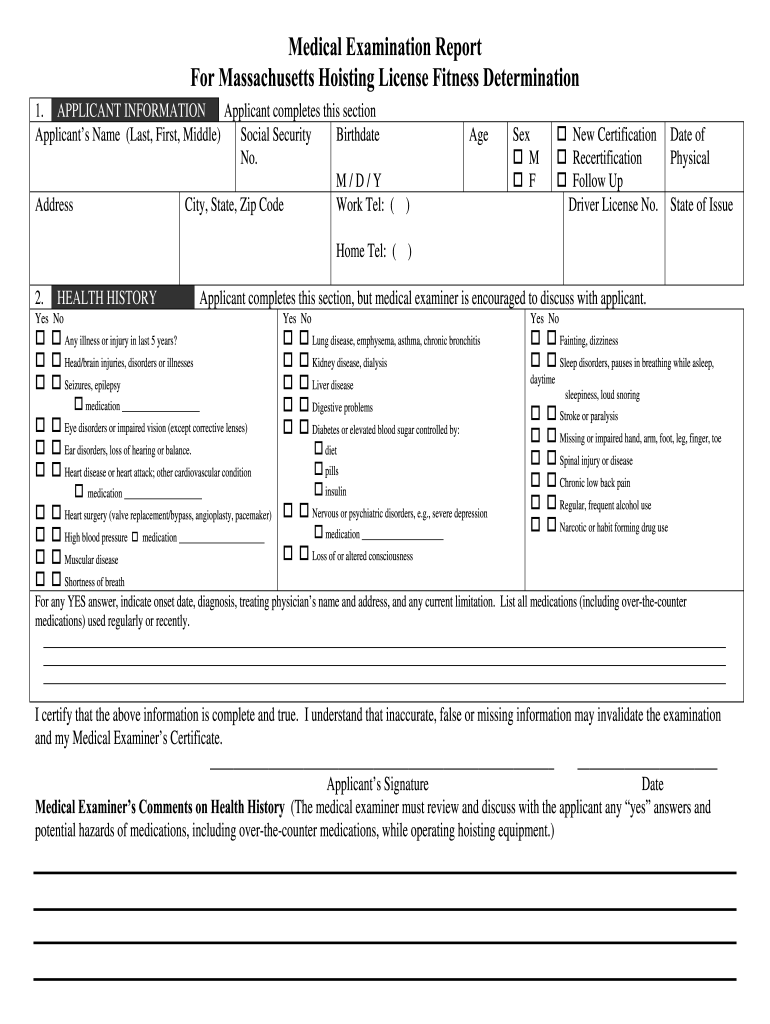
- Begin by filling out the 'APPLICANT INFORMATION' section. Enter your name, social security number, birthdate, and contact details accurately.
- In the 'HEALTH HISTORY' section, respond to each question regarding past illnesses or injuries. Be honest and thorough, as this information is crucial for your fitness determination.
- For the 'TESTING' sections (Vision, Hearing, Blood Pressure/Pulse Rate), follow the instructions provided. Input numerical readings where required and ensure all tests are completed by a qualified examiner.
- Complete the 'LABORATORY AND OTHER TEST FINDINGS' section by recording any necessary test results such as urinalysis findings.
- Finally, review all entries for accuracy before signing and dating the form at the bottom. Ensure that your medical examiner also completes their comments and signature.
Start using our platform today to easily complete your medical exam report for free!
It's free
See more medical exam report for mass hoisting license fitness determination versions
| Versions | Form popularity | Fillable & printable |
|---|---|---|
| 2006 | 3.9 Satisfied (39 Votes) |
Got questions?
Can I fill out and sign my ma hydraulic license lookup online?
Yes, and it’s really easy! DocHub is a web-based PDF editor with advanced document processing capabilities that allow you promptly modify your forms, complete blank fields and add new ones for other people to fill out, and create eSignatures in several ways. Import your ma hydraulic license lookup, give information as required, and decide how you want to eSign your template - by typing your name, drawing your signature, uploading its image, or using a QR code.
How do you fill out mass gov hoisting license lookup online?
You can get and modify your mass gov hoisting license lookup online by using DocHub. Its straightforward yet feature-rich design allows you to start productive work immediately after you sign up your account. Create your profile and add your document, then our user interface will guide you through our stress-free form completion experience.
Security and compliance
At DocHub, your data security is our priority. We follow HIPAA, SOC2, GDPR, and other standards, so you can work on your documents with confidence.
Learn more


