




Here's how it works



How to use or fill out 55m60 wsbc with our platform

- Click ‘Get Form’ to open the 55m60 wsbc in the editor.
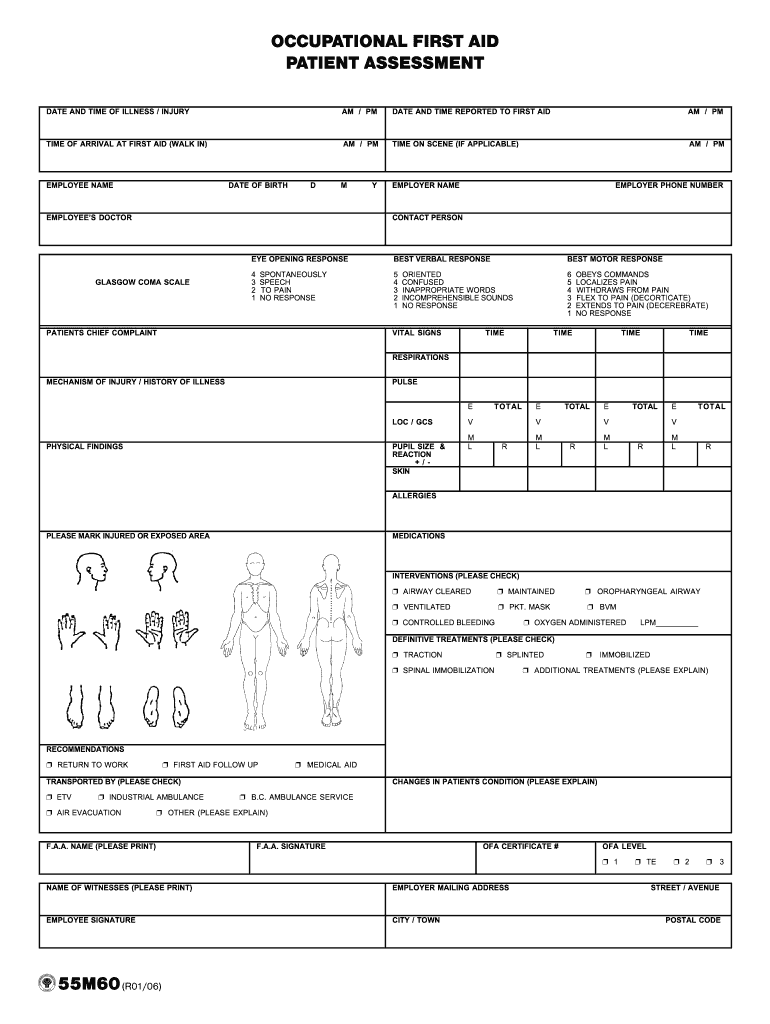
- Begin by entering the date and time of the illness or injury. Ensure you select AM or PM correctly.
- Fill in the employee's name and date of birth, followed by their doctor's name and employer details.
- Complete the Glasgow Coma Scale section by assessing eye opening, verbal response, and motor response. Use the provided scale for accurate scoring.
- Document vital signs including respirations and pulse at specified times. This is crucial for patient assessment.
- Indicate any allergies and medications taken by the patient. Mark any injured or exposed areas clearly.
- Check relevant interventions performed, such as airway management or controlled bleeding, ensuring all actions are documented.
- Finally, complete sections on recommendations for follow-up care and transport methods used, along with signatures from first aid attendants.
Start using our platform today to streamline your form completion process for free!
It's free
Got questions?
What do I need to sign my 55m60 wsbc electronically?
Electronic document signing demands a software solution that works in compliance with data protection and eSignature laws. DocHub is a perfect tool for that, since it meets all the aforementioned requirements. Whatever method you like to sign your 55m60 wsbc in DocHub, your electronic signature will be legally binding and court-admissible.
How do you edit 55m60 wsbc in Chrome?
If you are using Chrome, there are two easy ways to modify your 55m60 wsbc online. First, go to the DocHub website, add your file, and modify it utilizing our toolbar. You may also install our Chrome extension and modify any document by dragging and dropping it in your browser window.
Security and compliance
At DocHub, your data security is our priority. We follow HIPAA, SOC2, GDPR, and other standards, so you can work on your documents with confidence.
Learn more


