




Here's how it works

01. Edit your prc picture requirements online
Type text, add images, blackout confidential details, add comments, highlights and more.

02. Sign it in a few clicks
Draw your signature, type it, upload its image, or use your mobile device as a signature pad.

03. Share your form with others
Send prc id picture requirements via email, link, or fax. You can also download it, export it or print it out.
How to use or fill out subjects board application with our platform

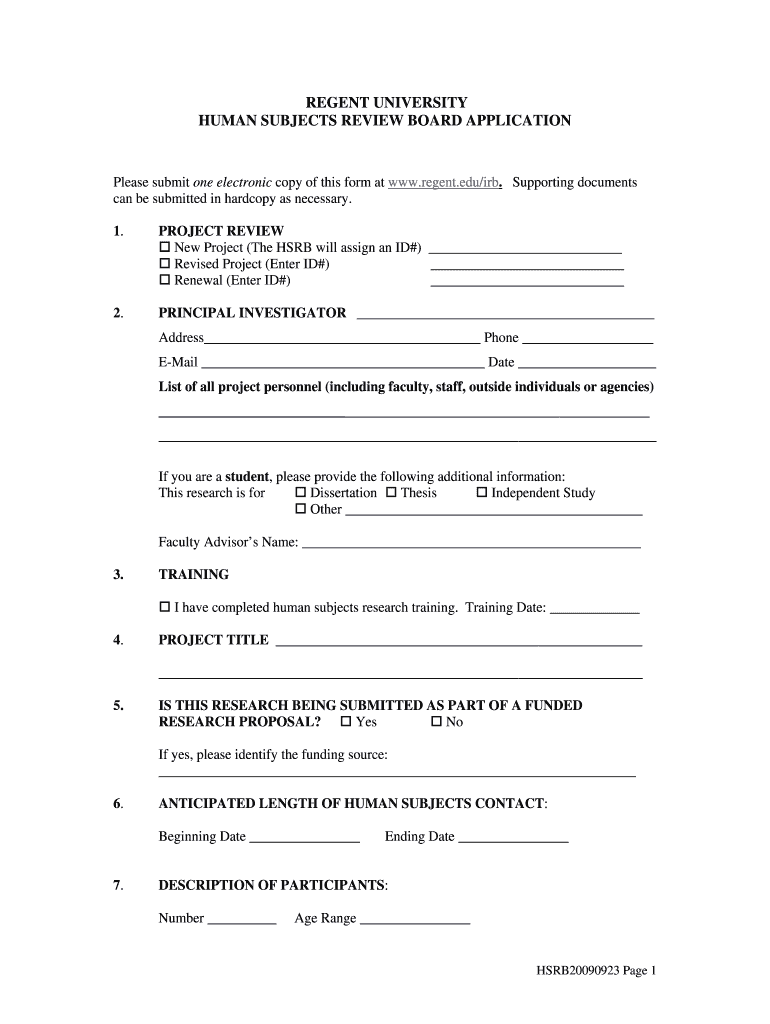
- Click ‘Get Form’ to open the subjects board application in the editor.
- Begin by selecting the type of project you are submitting: New, Revised, or Renewal. Fill in the corresponding ID# if applicable.
- Enter your details as the Principal Investigator, including your address, phone number, email, and date. If you are a student, provide additional information about your research purpose and faculty advisor's name.
- Indicate whether you have completed human subjects research training and provide the training date.
- Fill in your project title and specify if this research is part of a funded proposal. If yes, identify the funding source.
- Provide anticipated contact dates for human subjects and describe your participant population including number and age range.
- Select the review category for which you are applying based on your project's nature and risks involved.
- Describe your project methodology, objectives, participant recruitment strategies, informed consent process, and data confidentiality measures in detail.
Start filling out your subjects board application today for free using our platform!
Fill out subjects board application online
It's free
It's free
See more subjects board application versions
We've got more versions of the subjects board application form. Select the right subjects board application version from the list and start editing it straight away!
| Versions | Form popularity | Fillable & printable |
|---|---|---|
| 2009 | 4.8 Satisfied (2341 Votes) |
Security and compliance
At DocHub, your data security is our priority. We follow HIPAA, SOC2, GDPR, and other standards, so you can work on your documents with confidence.
Learn more


