Oregon pers application 2026

Get Form
oregon pers login Preview on Page 1

Here's how it works

01. Edit your oregon pers login online
Type text, add images, blackout confidential details, add comments, highlights and more.
02. Sign it in a few clicks
Draw your signature, type it, upload its image, or use your mobile device as a signature pad.
03. Share your form with others
Send pers oregon login via email, link, or fax. You can also download it, export it or print it out.

How to use or fill out oregon pers application with our platform

Form edit decoration
9.5
Ease of Setup
DocHub User Ratings on G2
9.0
Ease of Use
DocHub User Ratings on G2
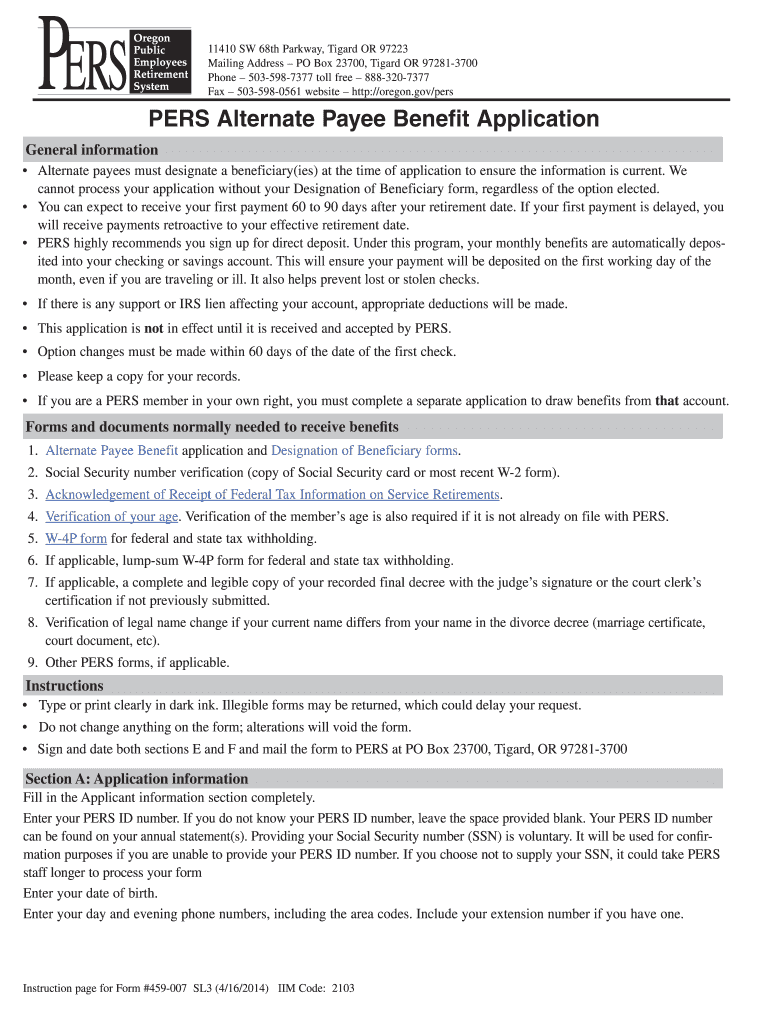
  1. Click ‘Get Form’ to open the Oregon PERS application in the editor.
  2. In Section A, fill in your Applicant information completely. Enter your PERS ID number and date of birth, along with your day and evening phone numbers.
  3. Proceed to Section B to indicate your benefit election effective date by filling in the month and year of retirement.
  4. In Section C, provide the full name and Social Security number of your ex-spouse who is eligible to retire.
  5. Review Section D for benefit options. Select one option and complete any necessary percentage allocations for lump-sum payments.
  6. Complete Section E by indicating your residency status regarding Oregon personal income tax.
  7. Finally, sign and date both Sections E and F. Ensure that your signature is notarized before submitting the form.

Start using our platform today to easily fill out your Oregon PERS application online for free!

See more oregon pers application versions

We've got more versions of the oregon pers application form. Select the right oregon pers application version from the list and start editing it straight away!
Versions Form popularity Fillable & printable
2014 4.8 Satisfied (122 Votes)
be ready to get more

Complete this form in 5 minutes or less

Get form

Got questions?

We have answers to the most popular questions from our customers. If you can't find an answer to your question, please contact us.
Contact us
To vest their PERS membership, an employee must work for five years in a PERS-qualifying position for at least 600 hours per year. The years do not need to be consecutive, but the employee cannot have a gap in qualifying employment of more than five years.
Complete the Tier One/Tier Two and Individual Account Program (IAP) Retirement Application. PERS will send you a confirmation email once weve received your application. Remember: You need to turn in your retirement application within the 90-day period before your retirement date.
Complete waiting time with one employer (the state of Oregon is considered one employer). Waiting time consists of: o Six full calendar months of employment o *With no break greater than 30 consecutive working days. 3. The employee must be employed the day before their contribution start date (CSD).
The Oregon Public Employees Retirement System (PERS) provides retirement benefits to State of Oregon employees, including those in public education. The basic requirement for membership is that an employee work for a qualified employer and/or employers and work a minimum of 600 hours in a given calendar year.
Retirement Pension PERS membership is generally established after serving a full 6 month waiting period in a qualifying position and if you work 600+ hours in a calendar year.

Security and compliance

At DocHub, your data security is our priority. We follow HIPAA, SOC2, GDPR, and other standards, so you can work on your documents with confidence.

Learn more
ccpa2
pci-dss
gdpr-compliance
hipaa
soc-compliance
be ready to get more

Complete this form in 5 minutes or less

Get form

People also ask

For those retirees in the most recent year (2023), the average monthly retirement benefit was $3,761 per month, or about $45,130 annually.

oregon pers application