




Here's how it works

01. Edit your adam walsh background maryland online
Type text, add images, blackout confidential details, add comments, highlights and more.

02. Sign it in a few clicks
Draw your signature, type it, upload its image, or use your mobile device as a signature pad.

03. Share your form with others
Send adam walsh background via email, link, or fax. You can also download it, export it or print it out.
How to use or fill out CPS BACKGROUND/ADAM WALSH BACKGROUND CLEARANCE REQUEST

- Click ‘Get Form’ to open it in the editor.
- Begin with Part I: Purpose of Search. Indicate whether you are requesting the information for yourself or for an agency/individual by checking the appropriate box.
- In Part II: Search Information, fill in your personal details including last name, first name, social security number, and date of birth. Ensure all fields are completed accurately.
- List any other names used and provide your current address along with a daytime telephone number and email address.
- Complete Part III: Authorization by confirming your consent for the release of information. Review all sections to ensure completeness before proceeding.
- In Part IV: Signature, sign and date the form. If under age 16, a parent or guardian must sign.
- Finally, print the completed form as instructed before moving on to any additional steps required by your agency.
Start using our platform today to easily complete your CPS BACKGROUND/ADAM WALSH BACKGROUND CLEARANCE REQUEST for free!
Fill out CPS BACKGROUND/ADAM WALSH BACKGROUND CLEARANCE REQUEST online
It's free
It's free
Security and compliance
At DocHub, your data security is our priority. We follow HIPAA, SOC2, GDPR, and other standards, so you can work on your documents with confidence.
Learn more


Related forms
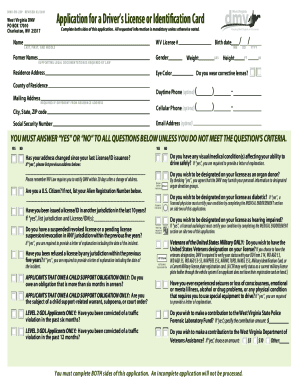
Application for a Driver's License or Identification Card - WV
The document is an application form for obtaining a Driver’s License or Identification Card from the West Virginia DMV. ...

City of Lewiston Commercial Electrical Permit Application
The document is a Commercial Electrical Permit Application for the City of Lewiston, detailing the requirements and fees ...
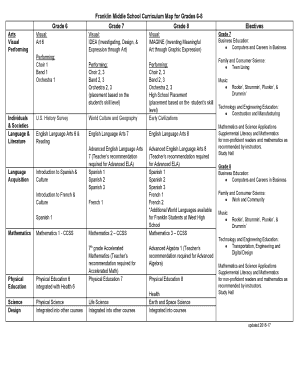
Middle school art curriculum map
The document outlines the curriculum map for Franklin Middle School for grades 6-8, detailing the subjects offered in ar ...

APPLICATION FOR THE USE OF SCHOOL FACILITIES - Limestone
The document is an application form for the use of school facilities by community groups, provided by the Limestone Dist ...

Bnz kiwisaver withdrawal form
The document outlines the process for applying for a Serious Illness Withdrawal from the BNZ KiwiSaver Scheme, as permit ...

Fleet enema instructions with pictures
The document provides detailed instructions for using a Fleet enema, including preparation, insertion techniques, and re ...

DHS-4959-ENG
The document is a Child Care Center Injury/Incident Report Form (DHS-4959-ENG) from the Division of Licensing, intended ...

Location Request Information Sheet - Dig Safely New York
The document is a Location Request Information Sheet designed for individuals or companies to fill out before contacting ...