Usfk form 81 e 2026

Get Form
usfk form 166 Preview on Page 1

Here's how it works

01. Edit your usfk form 166 online
Type text, add images, blackout confidential details, add comments, highlights and more.
02. Sign it in a few clicks
Draw your signature, type it, upload its image, or use your mobile device as a signature pad.
03. Share your form with others
Send usfk forms via email, link, or fax. You can also download it, export it or print it out.

How to use or fill out usfk form 81 e with our platform

Form edit decoration
9.5
Ease of Setup
DocHub User Ratings on G2
9.0
Ease of Use
DocHub User Ratings on G2
  1. Click ‘Get Form’ to open it in the editor.
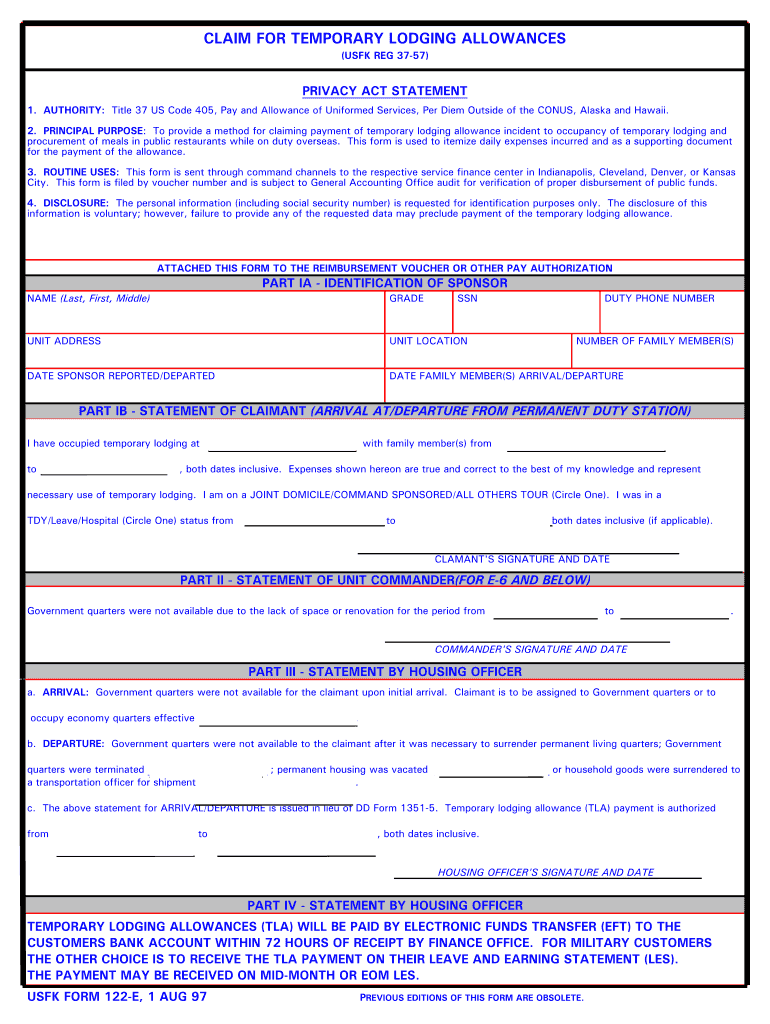
  2. Begin by filling out Part IA - Identification of Sponsor. Enter your name, grade, SSN, duty phone number, unit address, and location. Also, provide the dates you reported or departed and the arrival/departure dates of family members.
  3. In Part IB - Statement of Claimant, indicate where you occupied temporary lodging and the inclusive dates. Circle your status (Joint Domicile/Command Sponsored/All Others Tour) and if applicable, specify your TDY/Leave/Hospital status.
  4. For Part II - Statement of Unit Commander, ensure that your commander signs and dates this section confirming the unavailability of government quarters during specified dates.
  5. Complete Part III - Statement by Housing Officer by providing details about the availability of government quarters upon arrival and departure. Ensure this section is signed and dated by the housing officer.
  6. Finally, review all sections for accuracy before submitting your completed form through our platform for processing.

Start using our platform today to fill out your usfk form 81 e quickly and efficiently!

See more usfk form 81 e versions

We've got more versions of the usfk form 81 e form. Select the right usfk form 81 e version from the list and start editing it straight away!
Versions Form popularity Fillable & printable
1997 4.8 Satisfied (101 Votes)
be ready to get more

Complete this form in 5 minutes or less

Get form

Got questions?

We have answers to the most popular questions from our customers. If you can't find an answer to your question, please contact us.
Contact us

Log in to your DocHub account and add your usfk form to our editor using one of its upload options - from your device, cloud storage, secure URL, or your DocHub folders if you have already processed your document before. Open our editor, click the Sign key in the upper toolbar, and choose your signing method. You can use an image of your handwritten signature, draw it, type in your name, or utilize a QR code instead.

When you edit your usfk form 81 e with DocHub, you simply will not need to look for other applications or services to eSign it. An electronic signature is a component of DocHub’s extensive editing toolset, which enables you to apply changes in your form without jumping between platforms. Simply complete your form, double-check the correctness of your information and put your electronic signature at the end to make it submission-ready in minutes.

Security and compliance

At DocHub, your data security is our priority. We follow HIPAA, SOC2, GDPR, and other standards, so you can work on your documents with confidence.

Learn more
ccpa2
pci-dss
gdpr-compliance
hipaa
soc-compliance
be ready to get more

Complete this form in 5 minutes or less

Get form